Apple Watch
Somnus for Apple Watch is a lean, yet powerful version of Somnus for your wrist, showing you the information you need while you work and allowing key functionality without too much complexity.
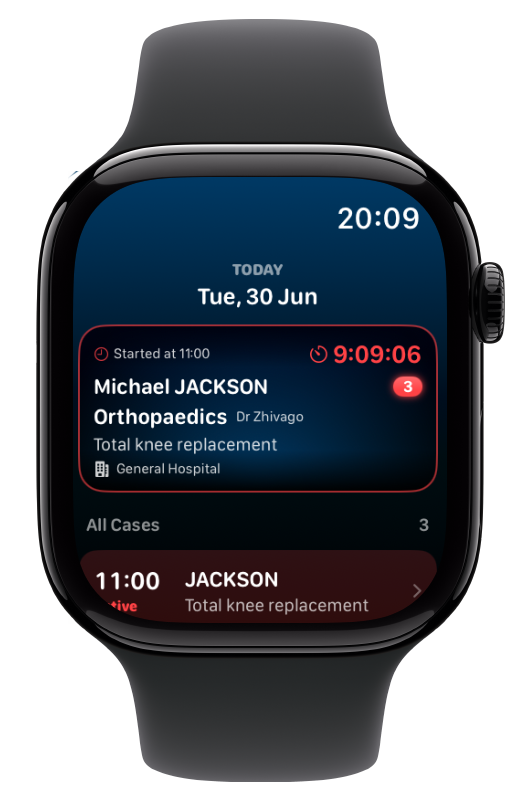
The main screen will show you the current, or the next upcoming list of Cases.
At the top will always be the most relevant Case displayed in a large box, selected from the following, in order:
Active Case
Next Booked Case
Last Completed Case
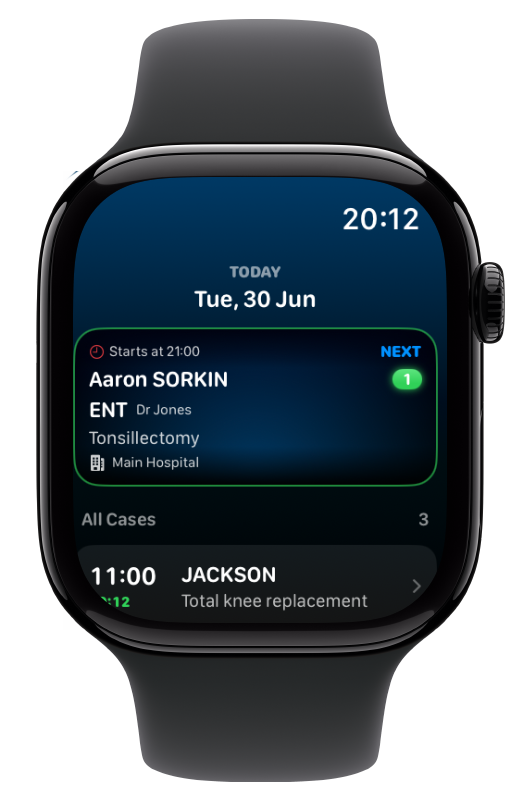
List Detail
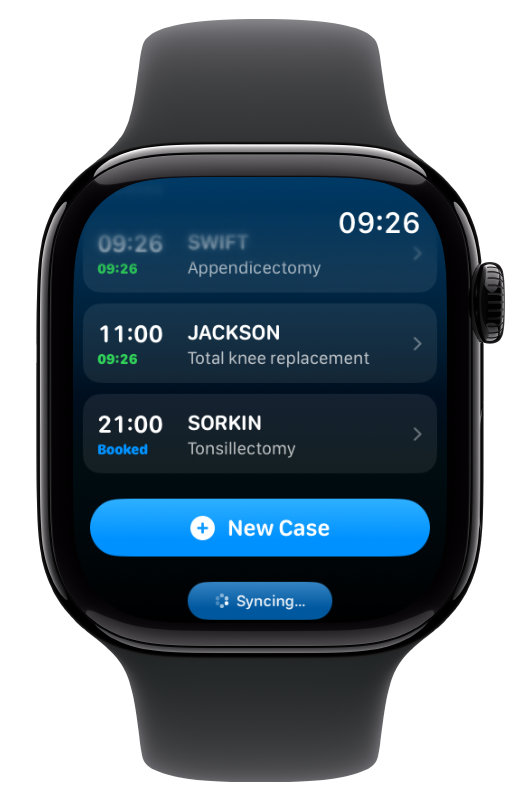
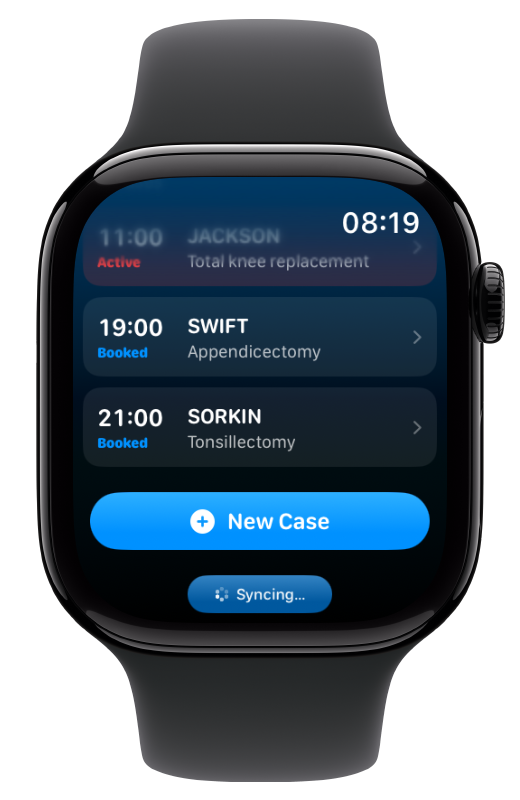
Scrolling down will reveal the full Case list with details on the status of each Case.
The currently active Case will be highlighted in red, with completed Cases showing their finish times in green.
Upcoming (booked) Cases are shown with a blue label.
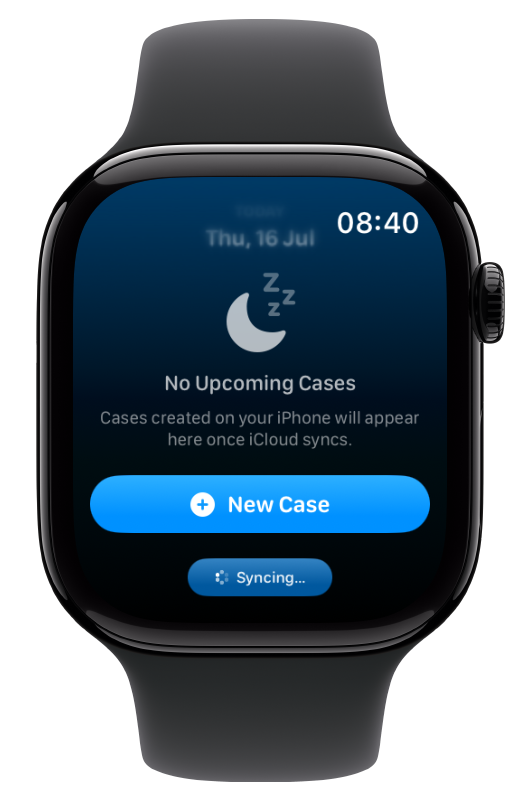
At the bottom is a button to add a New Case and a Sync Status button
Tapping on any row will allow you to view the Case in detail, as well as perform several useful tasks:
Start & stop timers
Edit Patient & Case Notes
Apply Templates
Copy & Paste Case details
Duplicate the Case
Open the Case on iPhone (if nearby)
Delete the Case
Case Detail
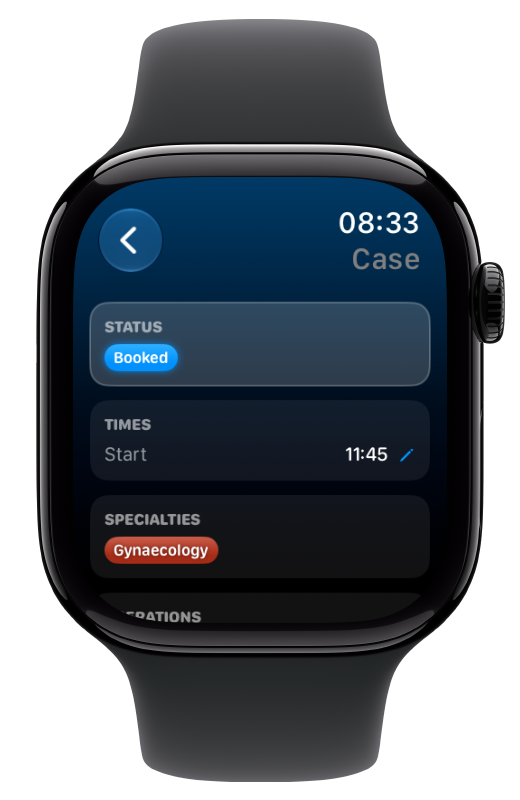
The Case Detail screen shows you almost all Case details in sections:
Status
Tapping this allows you to start/stop/restart the main Case Timer
Timers (if present)
Tap Timers to start/stop/restart or edit their times
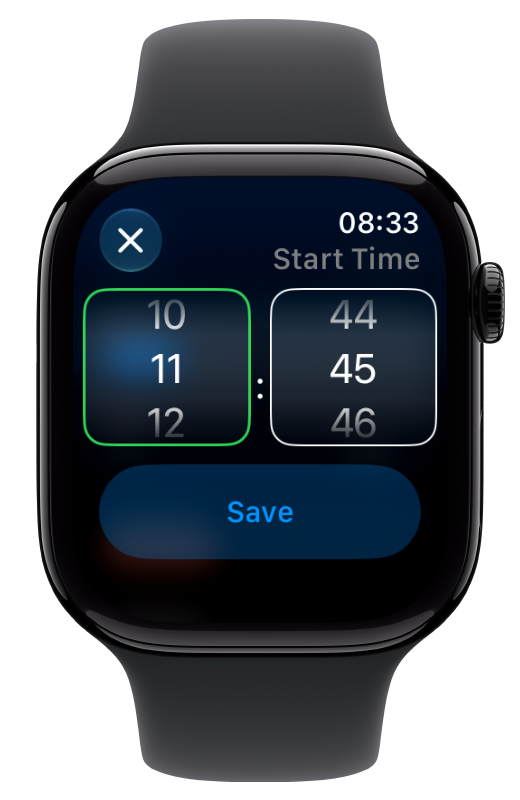
Times
The pencil icon denotes an editable value. Tap to adjust start (and finish) times.
Specialties, Operations, Surgeons & Personal List Items (Case)
These can be modified on the iPhone or by applying a Template.
Case Notes
Edit the notes by tapping on the edit pencil icon
Patient
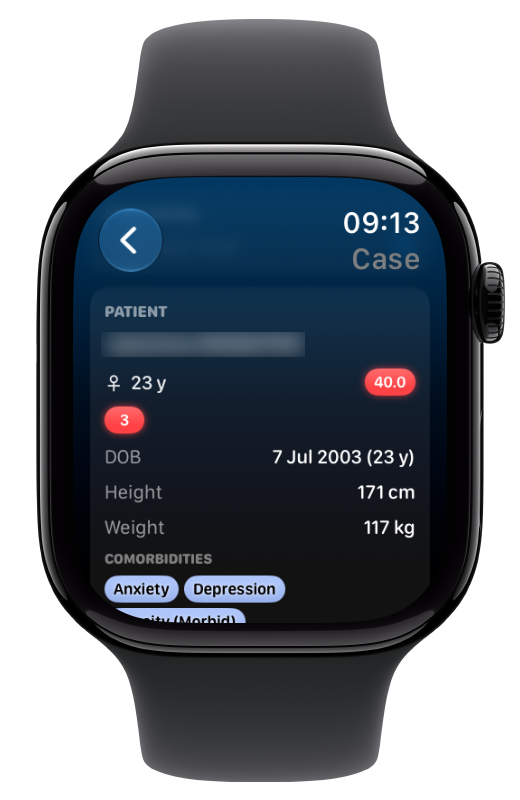
This section shows the most relevant data for the patient including:
Demographics
Biometrics
Comorbidities
Personal List items (Patient)
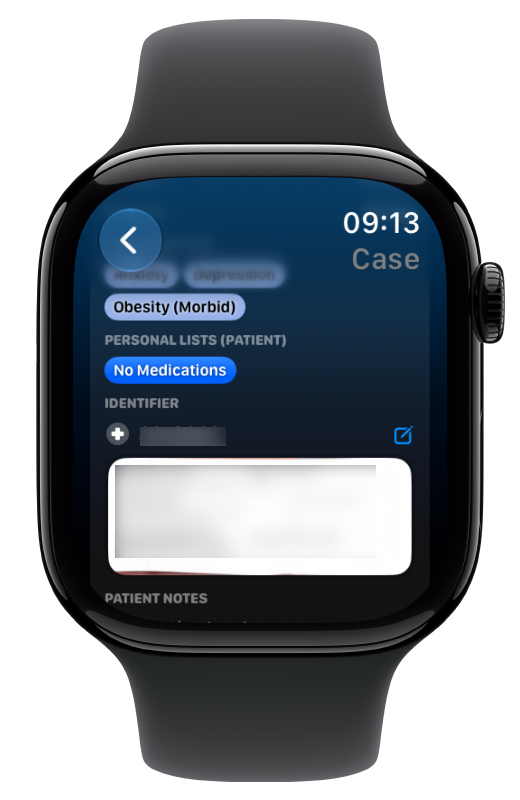
Identifier & ID Label
Editable Identifier text
Tapping on the label allows you to view it full screen (use the crown to scroll)
Patient Notes
Edit the notes by tapping on the edit pencil icon
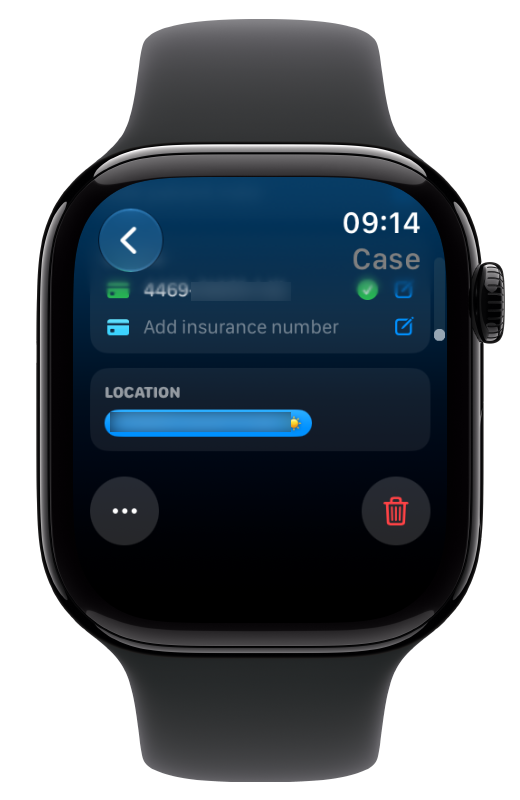
Medicare & Insurance Numbers
Both editable with Medicare validation checking
Location
This can be edited on the iPhone (or another device)
At the bottom are two buttons
Delete Case
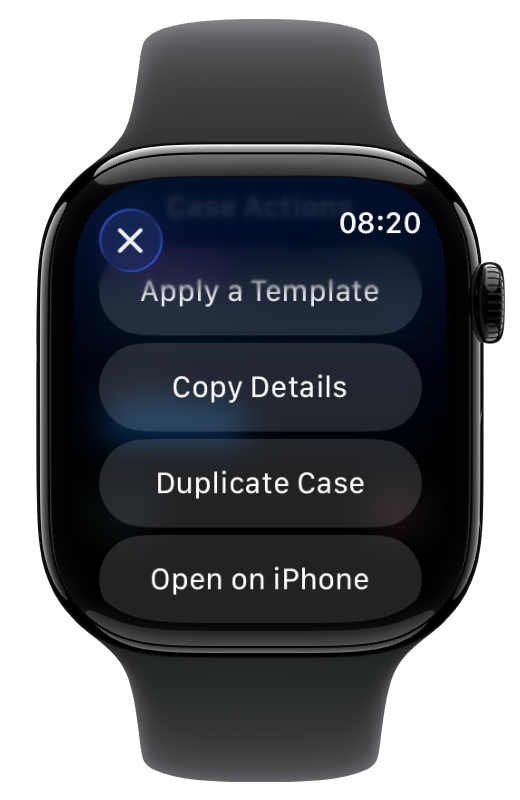
Ellipsis Menu, which allows you to:
Apply a Template
Clear Case Details
Copy & Paste Case Details
Duplicate the Case
Open the Case on iPhone, if it’s nearby
Watch Complications
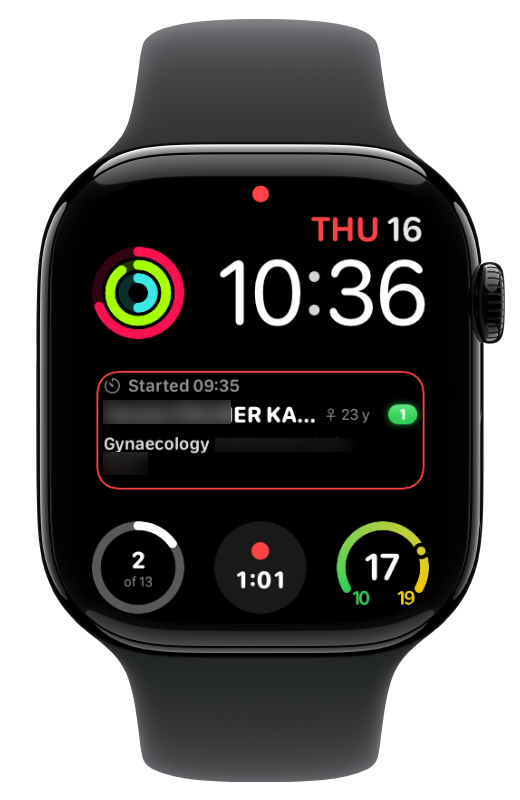
There are also several complications available for your Watch face, including:
Active Case Detail
List Progress Indicator
Next Case Start Time
Active Case Timer
Tapping on any complication will open either Somnus on the Apple Watch or jump directly to that Case.
Personal details are hidden on screen dim if you have this setting enabled for Watch Complications.
Important Information
The Somnus Watch app requires iCloud syncing for it to work.
This is not an extension of the iPhone app but a fully independent version of Somnus, using the same database synced via iCloud.
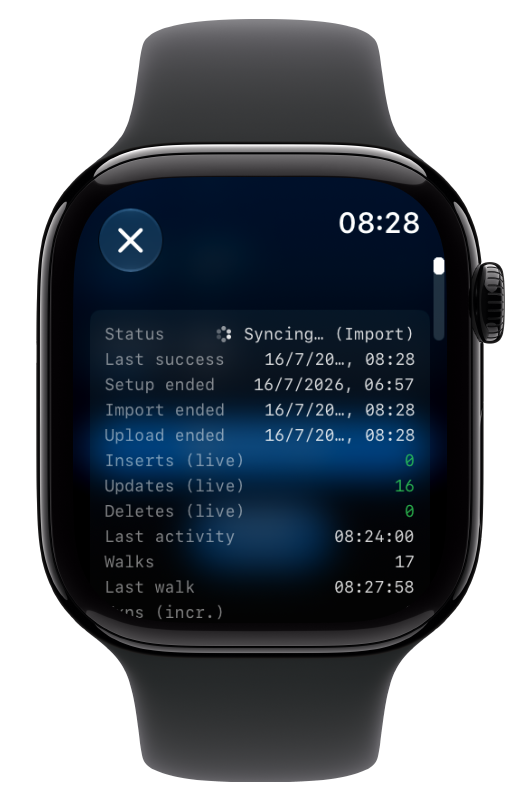
When you first load the Watch app there will be no data to show until it has fully synced the database. At the bottom of the screen is a small Sync Status button. Tapping this will show you the progress of the sync.
If you have a very large database, this initial sync may take many, many hours to finish and due to limitations on Watch data, this occurs most effectively when the Watch app is in the foreground, or on a charger connected to WiFi. How much is downloaded in each pass is controlled by iCloud.
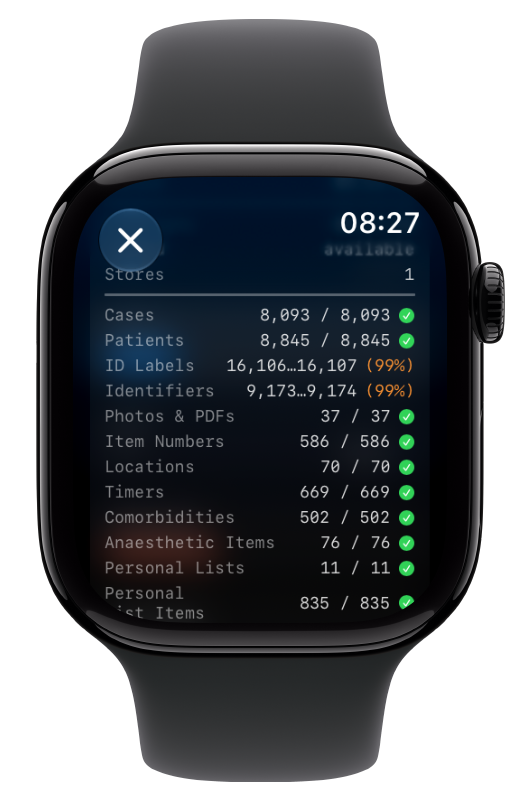
🔥 To keep the sync alive and force faster syncing, keep the app foregrounded. To see if syncing is occurring note the following items on the Sync Status screen:
Walks - this should count up during each sync session
Inserts/Updates/Deletes - shows data being added. This might not change with every ‘Walk’ but will update eventually.
Progress Percentages - shows which objects are syncing and how many in each category remain to sync. Relationships between objects will show as ‘inserts/updates’ but won’t be reflected in the percentages, but the syncing is occurring.
My personal Somnus Database is 1.2GB with 14,000 Cases & Patients. It took a very long time for the initial sync but please be patient, your data will sync!