Widgets
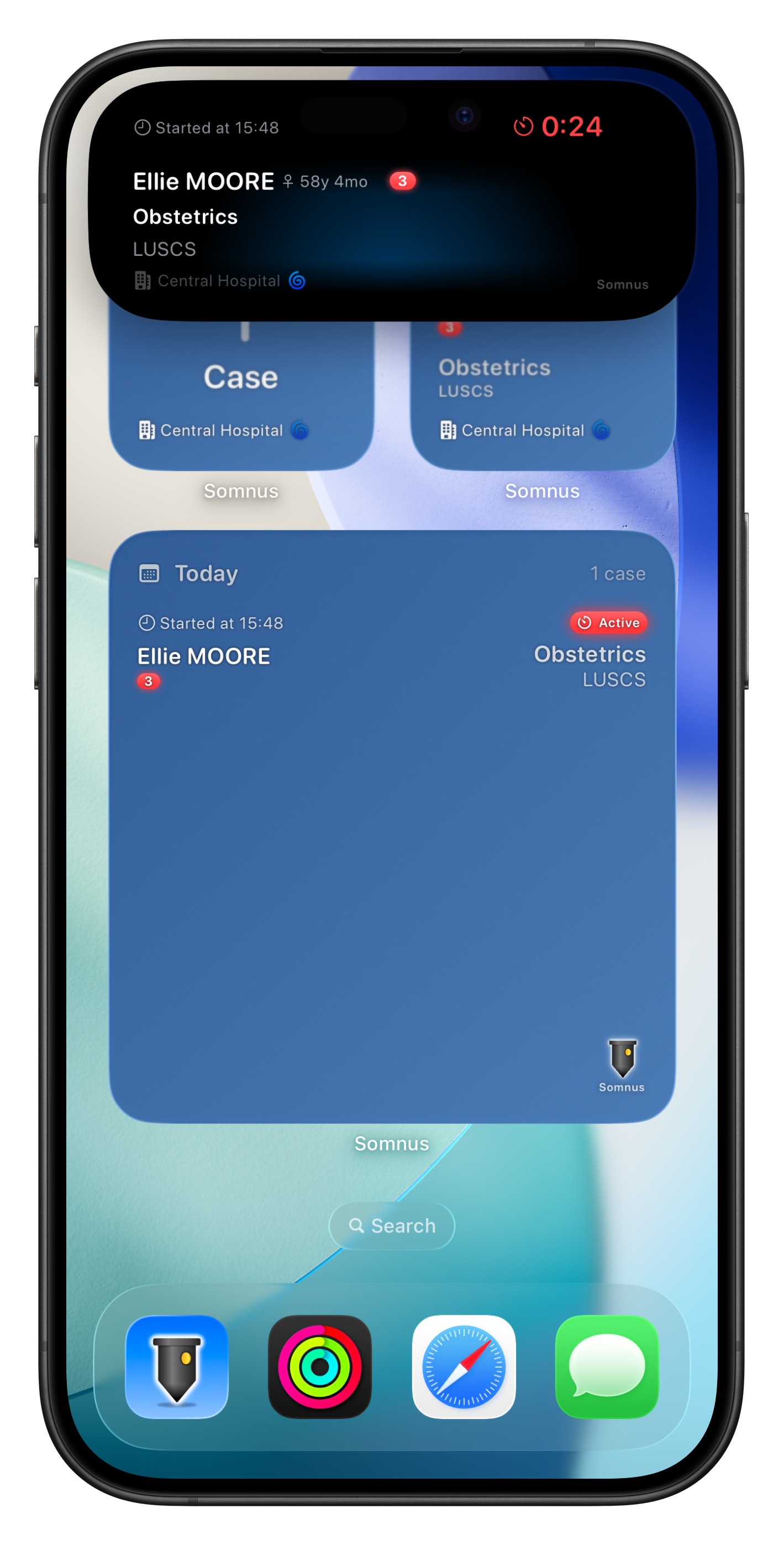
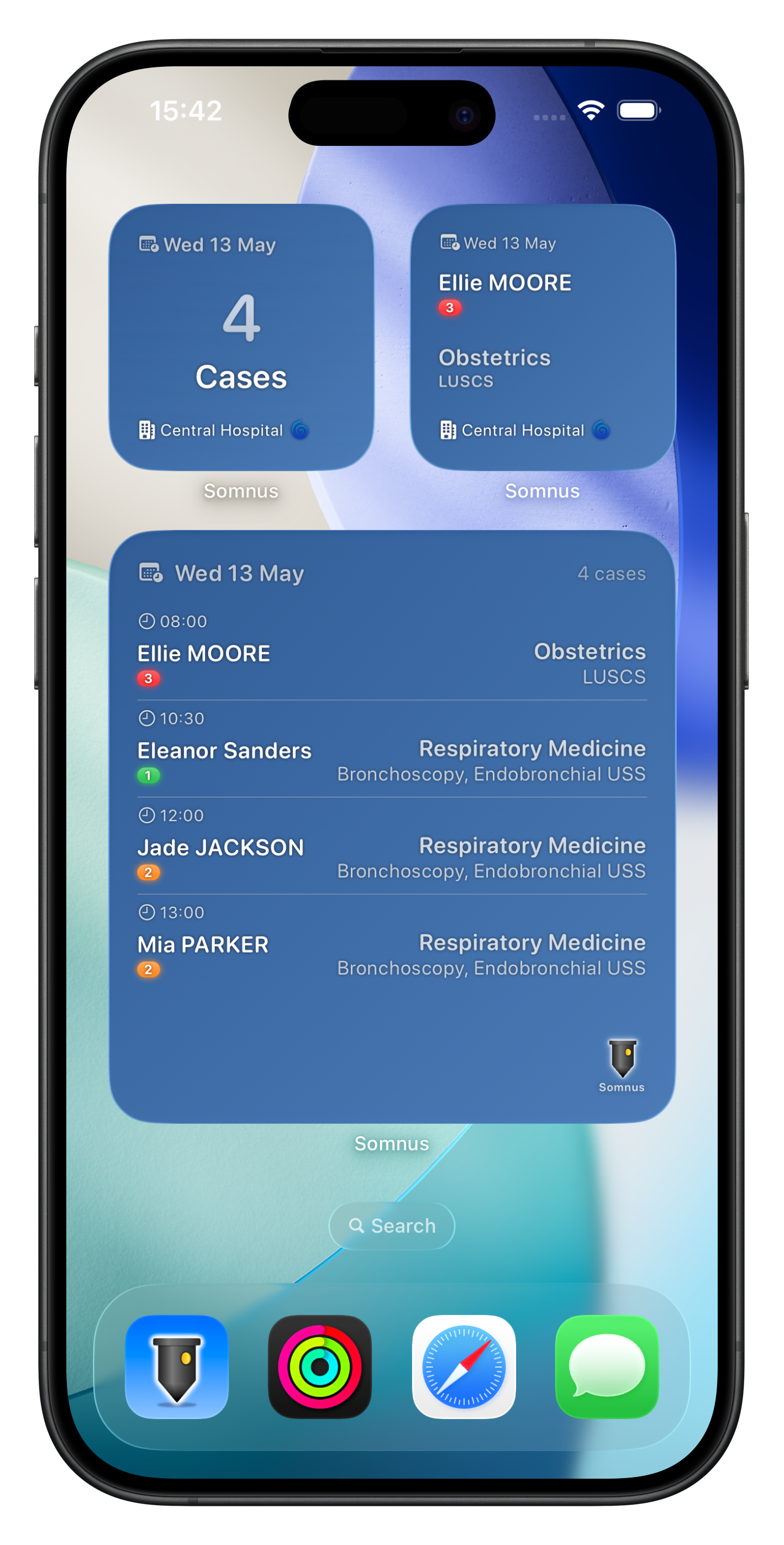
Keep your theatre schedule visible right from your Home Screen and Lock Screen.
Somnus offers a range of widgets to suit how you work:
Active/Next Case
See your current or upcoming case at a glance, including patient name, specialty, operations, surgeon, ASA grade, and urgency level. Available in small, medium, and Lock Screen sizes. Tap to jump straight into the case.
Day Case List
A full rundown of the day's cases in a large widget format. Each row shows the start time, patient, specialty, operations, and status — with completed cases marked with a tick and duration. Tap any row to open that case.
Day Case Summary
A compact overview showing the date, total case count, and theatre location — ideal for a quick glance at what's ahead.
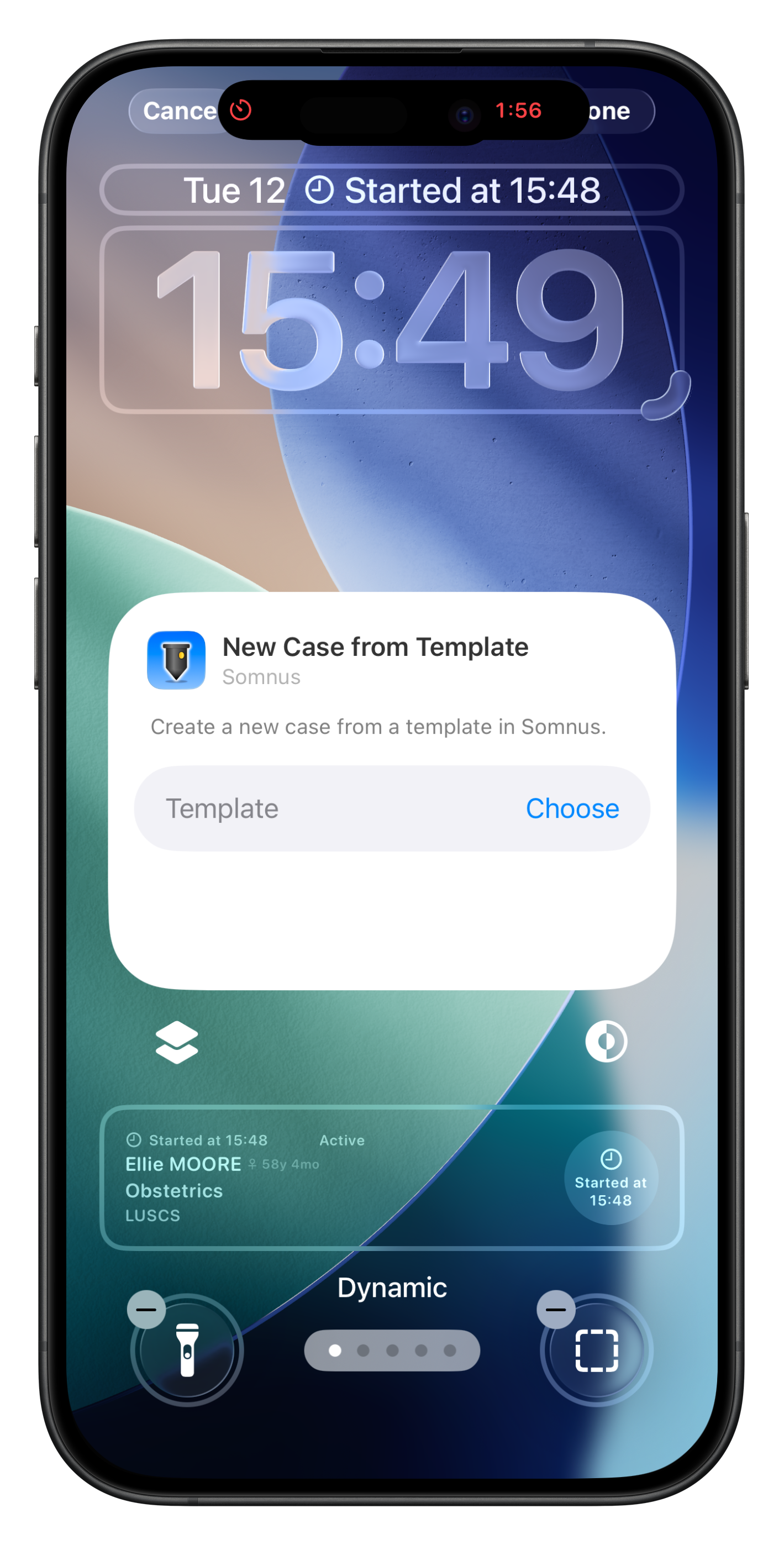
Control Centre
Add buttons to Control Centre to create a new case, open your next case, or start a case from a specific template — all without opening the app.
You can also leverage the power of Siri Shortcuts to make even more powerful actions for your lock screen & control centre
Patient names and identifiers are automatically redacted when your device is locked, keeping sensitive information private.
Live Activities
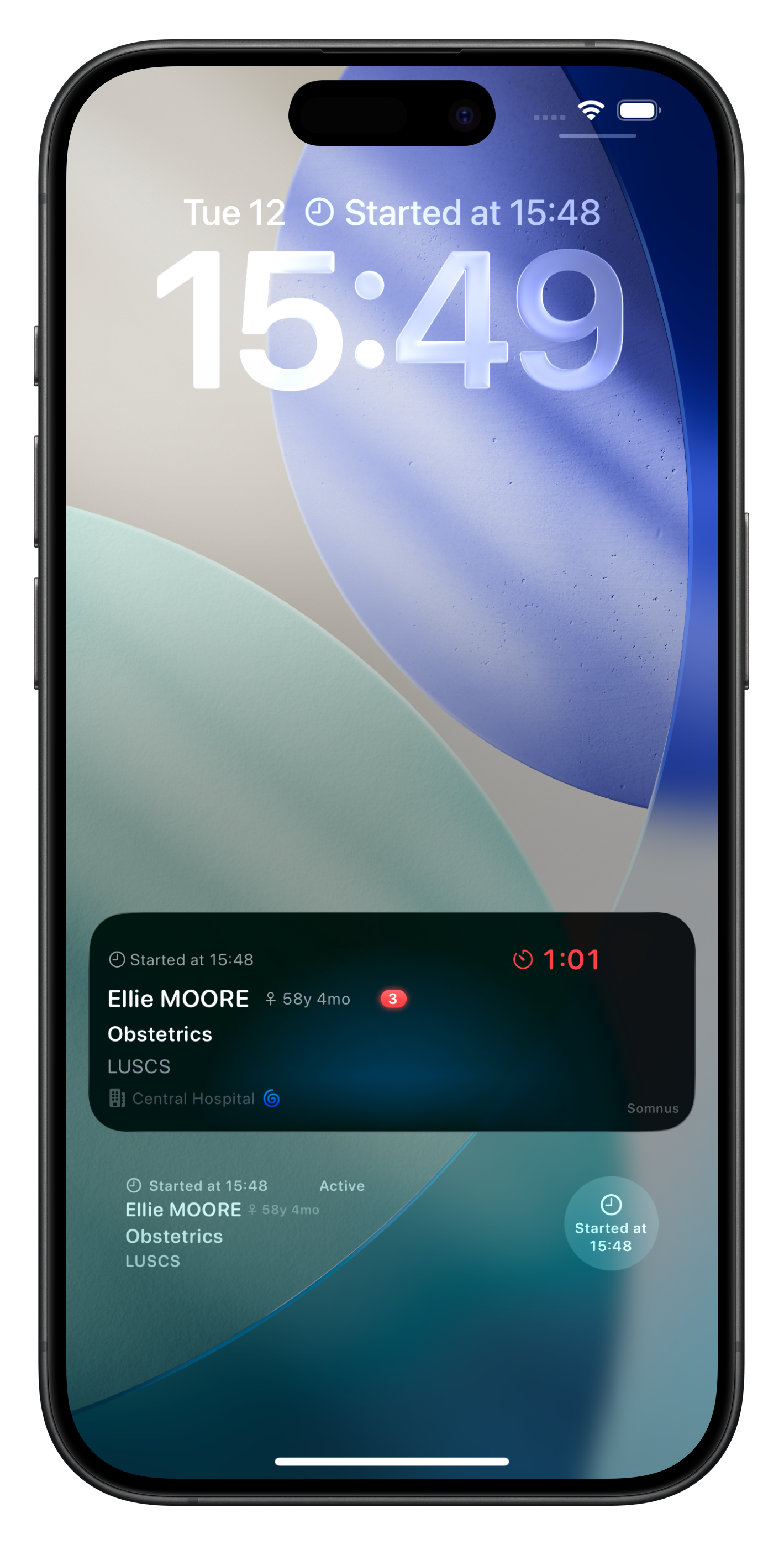
When you start a case timer, Somnus launches a Live Activity that stays visible on your Lock Screen and in the Dynamic Island throughout the case.
A live elapsed-time counter runs in real time alongside the patient name, specialty, operations, surgeon, ASA grade, and theatre location — giving you an at-a-glance view of the case in progress.
The Dynamic Island shows a compact timer that expands to reveal full case details with a tap. When you stop the timer, the activity ends and the case is marked as complete. Everything links back to the full case record in the app.
Patient names and identifiers are automatically redacted when your device is locked, keeping sensitive information private.
If you have an Apple Watch, the Live Activity is mirrored there automatically.