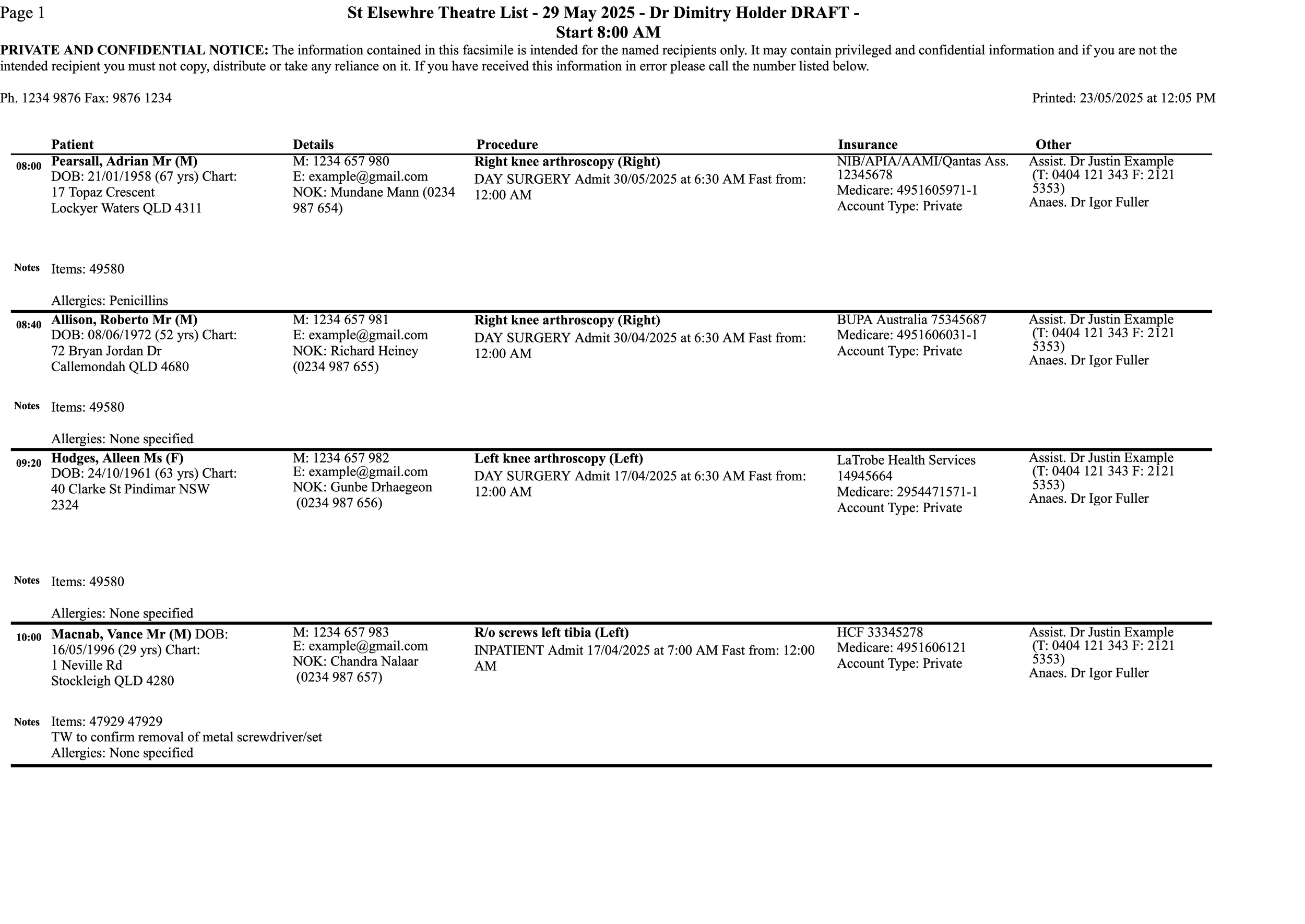
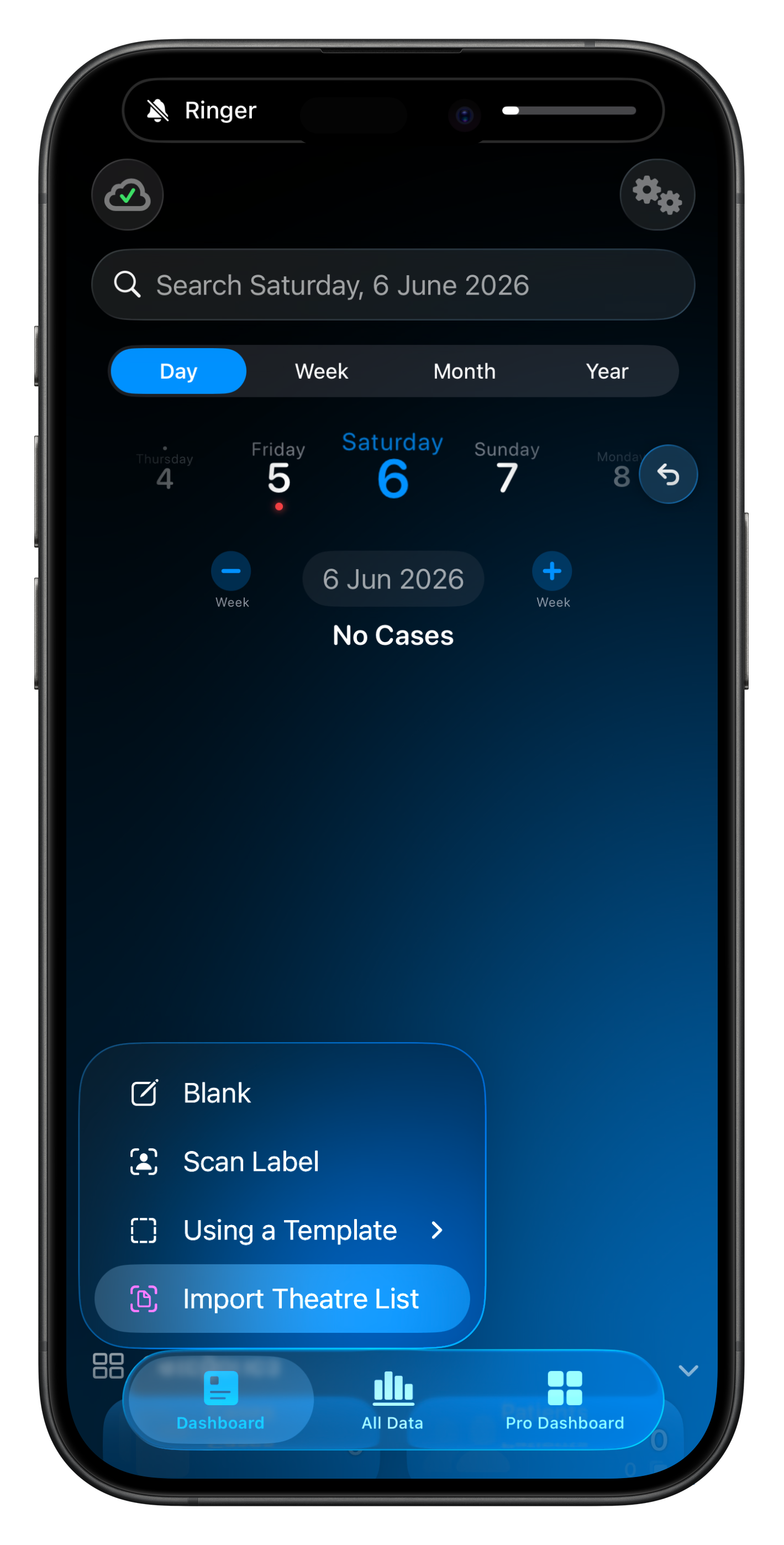
Theatre List Import
Theatre List Import uses Apple Intelligence's on-device language model. The data never leaves your device. In iOS 27 it is possible to opt-in to use Apple’s Private Cloud Compute for much faster & smarter importing.
Apple's model also doesn't and can't learn from anything you import which is good for security & privacy but does result in some limitations.
Every scan starts from a clean slate; nothing is sent back to Apple for training. The only personalisation happens locally, inside Somnus, so the matching does get smarter with time.
On-device language models are probabilistic, not deterministic. Scanning the same list twice can produce slightly different output: a column read one way the first time and another way the second.
If a result looks off, try running the import again, or just edit the affected field inline. Confirmations you make are remembered, so the next scan will be better.
🔥 Theatre List importing works best when the list is for a single location, speciality & surgeon. If there are multiple locations, specialties & surgeons, pattern matching may struggle, but you can always override the detected results.
Confirming Results
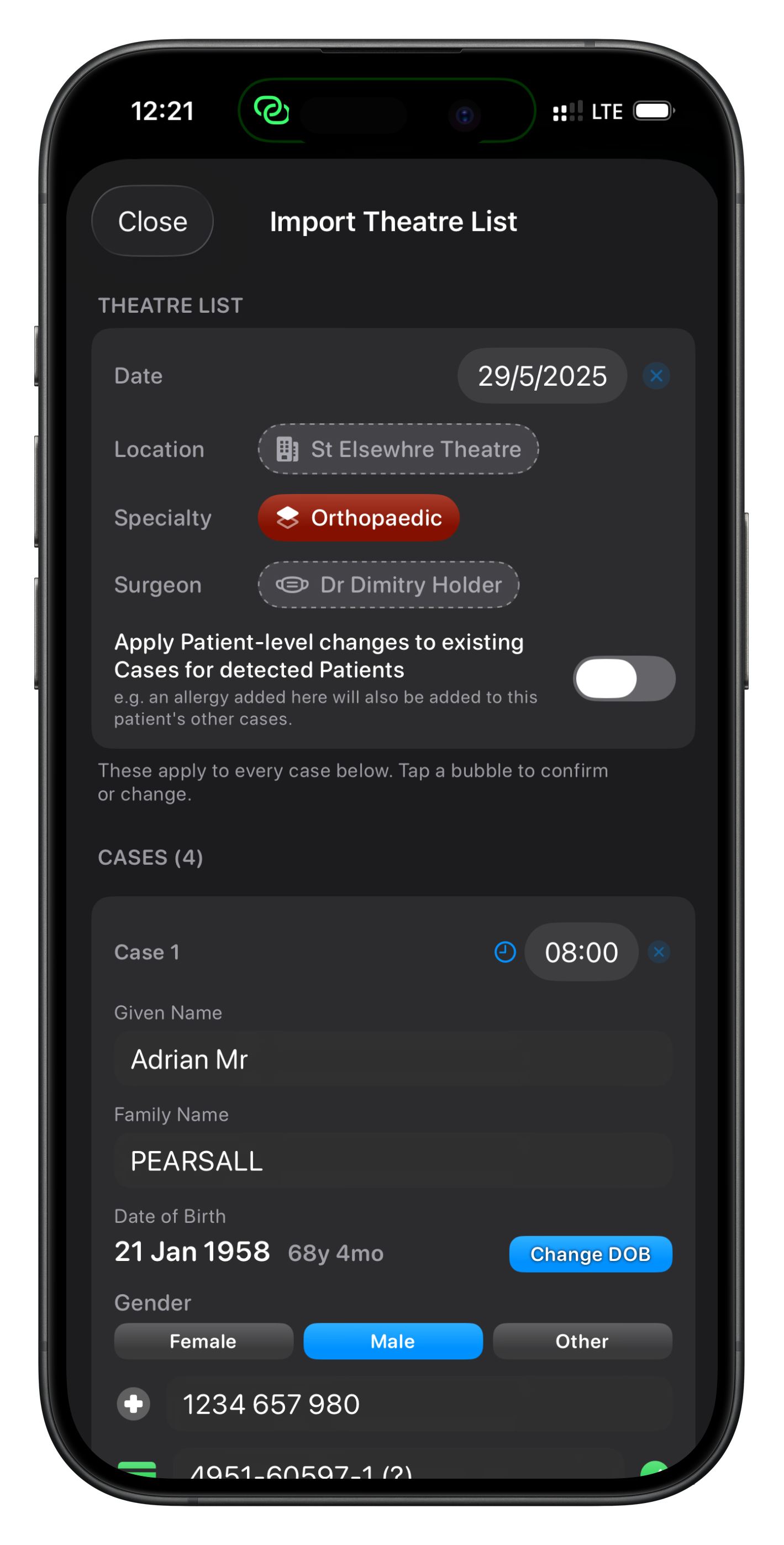
After analysis, you will see a summary of what was detected. At the top will be what Somnus’ best guess is with respect to Location, Surgeon & Specialty
When you tap a suggested Surgeon, Operation, Location, Specialty, etc. and confirm it, Somnus remembers that the extracted text maps to that item. Next time the same name or wording appears on a list, it's auto-matched and shown as confirmed: no extra tap needed.
Over a few imports, more of each list arrives pre-matched. This learning is stored on your device and only used by Somnus on your device
In this example, the Date & Specialty has been detected and assigned but the Location & Surgeon has yet to be confirmed. If a match is found within Somnus, it will be assigned but tapping on any item will allow you to change it.
Unmatched items will be faded/grey bubbles and tapping them will allow you to assign an item to it. Subsequent scans should see it automatically matched.
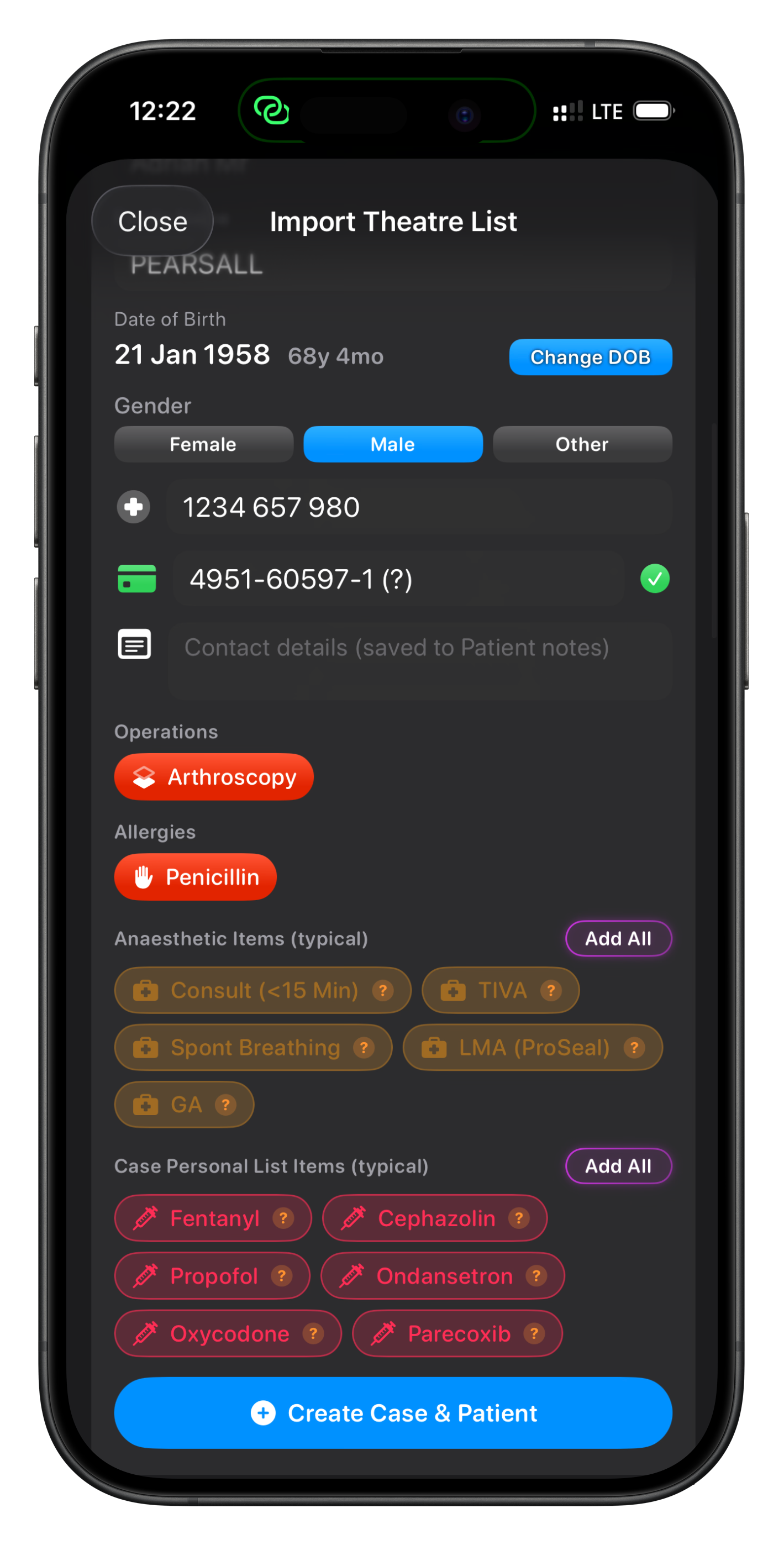
If allergies are detected, and you have an Allergies (Patient) Personal List, they will be assigned as well.
As your Somnus caseload increases, Somnus will start to suggest items to add to a detected (or selected) Operation, allowing you to almost fully populate a case with a few taps.
In this example, I have Anaesthetic Items & Drugs (A Case Personal List) being automatically suggested. Tap individual bubbles to add them one by one, or select Add All.
If a Patient is matched with an existing Patient in Somnus, this will be highlighted. Any contact details detected will be appended to Patient Notes.