Deep Links (ie. URL Scheme)
Somnus supports deep links: special URLs that open the app directly to a specific Case, Patient, or view. Tap a link and you're there instantly, no navigating required. This is also known as a URL scheme.
For power users, deep links unlock a range of automation possibilities. The supported links from v11 are:
Cases
somnus://case/next
Opens your next scheduled case. Resolves against the same "next case" data the lock-screen and Home Screen widgets use, so the case picked here always matches what the widget is showing.
somnus://case/active
Opens the case whose timer is currently running. If no timer is running, the app simply opens.
somnus://case/today
Opens the first case in today's list (matches the Today's List widget). If there are no cases today, the app opens without a destination.
somnus://case/<UUID>
Opens a specific case by its UUID.
somnus://case/new
Opens a blank "new case" sheet.
Timers (run in background)
somnus://timer/start
Starts the timer on today's earliest non-running case. The app does not come to the foreground; the change is committed straight to the database and the UI refreshes the next time you open it.
somnus://timer/start/<UUID>
Starts the timer on a specific case by UUID. Background-only, same as above.
somnus://timer/stop
Stops the timer on whichever case is currently running. Background-only.
somnus://timer/stop/<UUID>
Stops the timer on a specific case by UUID. Background-only
Patients
somnus://patient/new
Opens the new patient form.
somnus://patient/<UUID>
Opens a specific patient by UUID.
Navigation & Search
somnus://alldata
Switches Somnus to the All Data screen.
somnus://search?q=<text>
Switches to the All Data screen, pre-fills the search field with your query and focuses it. URL-encode the text (spaces as %20 or +). Example: somnus://search?q=appendix%20laparoscopic — passing no q (or an empty one) just focuses the search field.
Dashboard / Pro Dashboard
somnus://dashboard/day/<unixTimestamp>
Opens the Dashboard on the specified day.
somnus://prodashboard
Opens the Pro Dashboard tab.
somnus://prodashboard/tile/<UUID>
Opens the Pro Dashboard and presents a specific tile's detail sheet.
Settings
somnus://settings/backup
Opens Settings on the Backup pane.
somnus://settings/pro
Opens Settings on the Pro subscription pane.
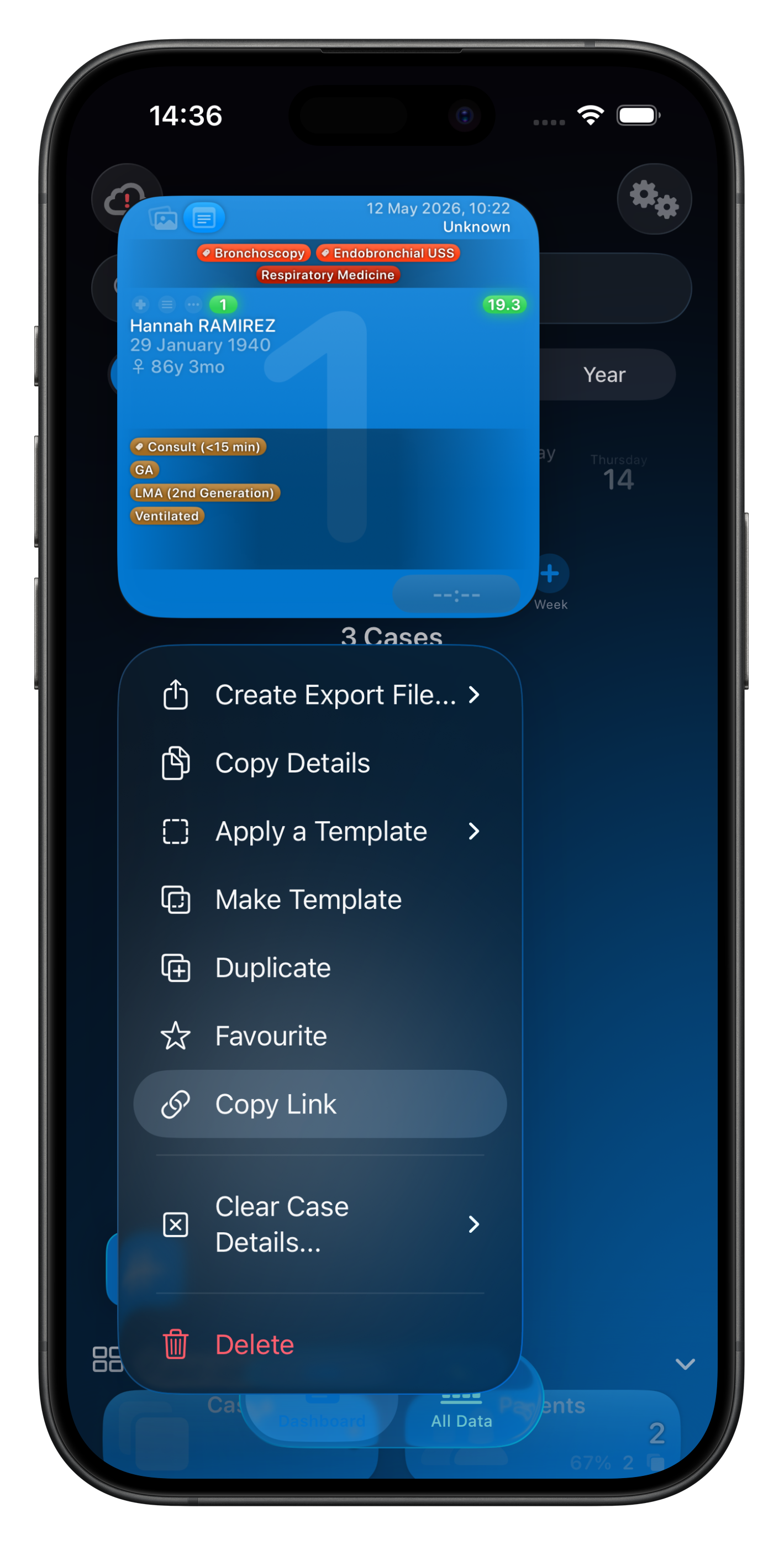
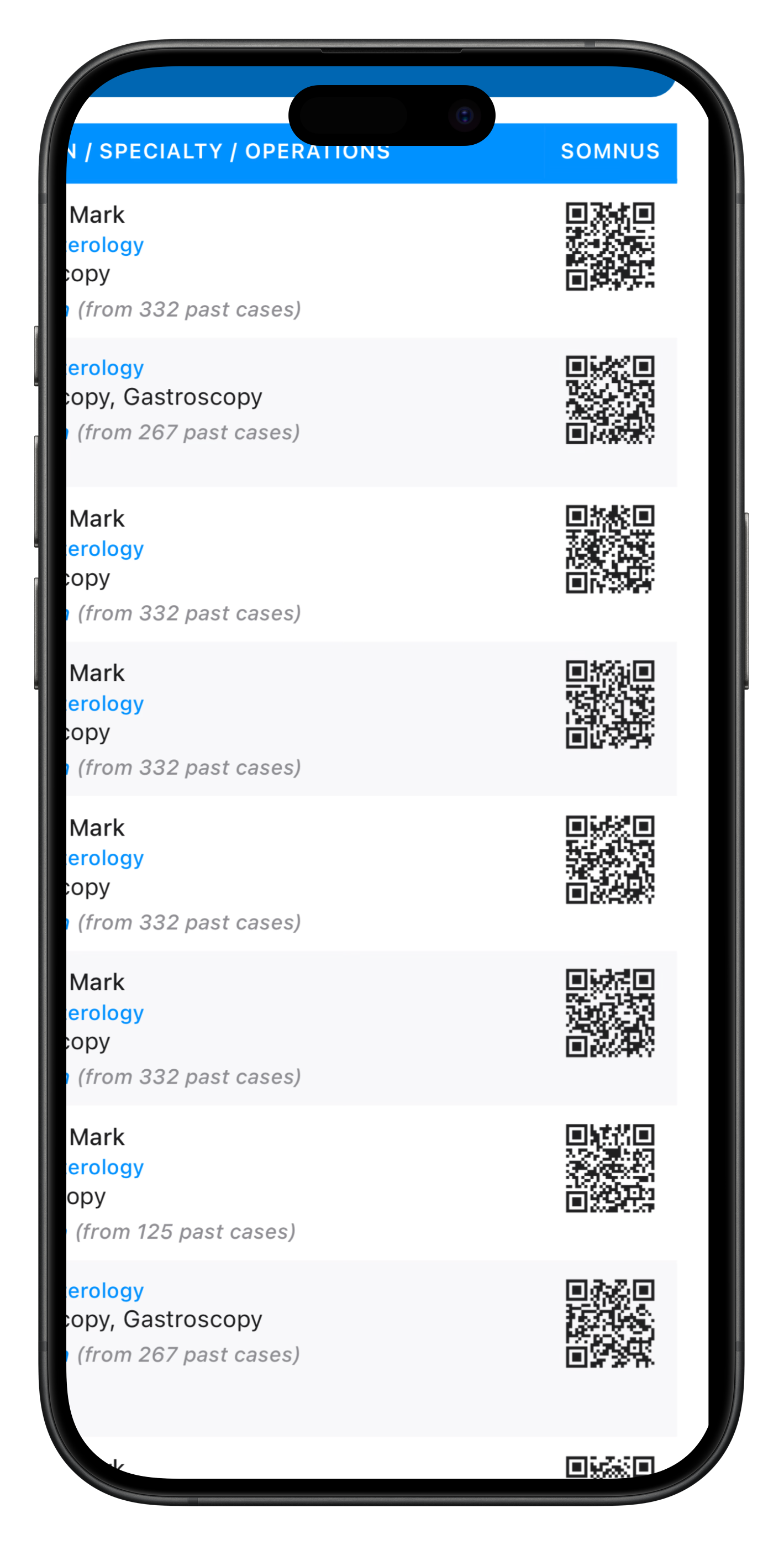
These links are encoded into QR codes you’ll see on Case Reports (PDF) & Theatre List (PDF) reports. As well as the URL when you select Copy Link from a Case or Patient, the QR code is created for you too.
Scan it to jump straight to a Case or Patient — useful for printed theatre lists, patient labels, or handover sheets.
You can also use deep links as inputs to the "Get Case Info" and "Get Patient Info" Siri Shortcuts intents, letting you build automations that scan a QR code, extract the link, and pull case or patient details without ever opening the app.
Combine them with other Shortcuts actions to create powerful workflows — like scanning a patient QR code to retrieve their details and pre-fill a message to a colleague or the patient.
🔥 UUIDs for Cases, Patients & Pro Dashboard Chart Tiles can be accessed via their context menus. Select ‘Copy Link…’.