Introducing Somnus Pro

Your practice enhanced
Somnus Pro transforms your logbook into a powerful organisational, billing & non-clinical event tracking tool. Beyond simply recording cases, Pro offers a customisable dashboard displaying the metrics that matter most to you.
It also provides more advanced export options including improved billing reports & direct billing submissions to a billing agency (CESoft).
Smart assistance during case creation using Apple Intelligence - all private, on-device (optionally use Apple’s Private Cloud Compute) - helps speed up case creation. Theatre list importing learns from you - the more you use it, the smarter it gets
Accessible across multiple devices with a single subscription including Apple Watch for the first time, with useful complications for the watch face.
Detailed widgets for your home and lock screens taking data from any Pro Dashboard tile you create.
It’s the same Somnus you already use, equipped with the tools many users have requested to help run their clinical practice and assist with training & educational requirements.
Current Pro Features Include:
The Pro Dashboard
Build the dashboard you need
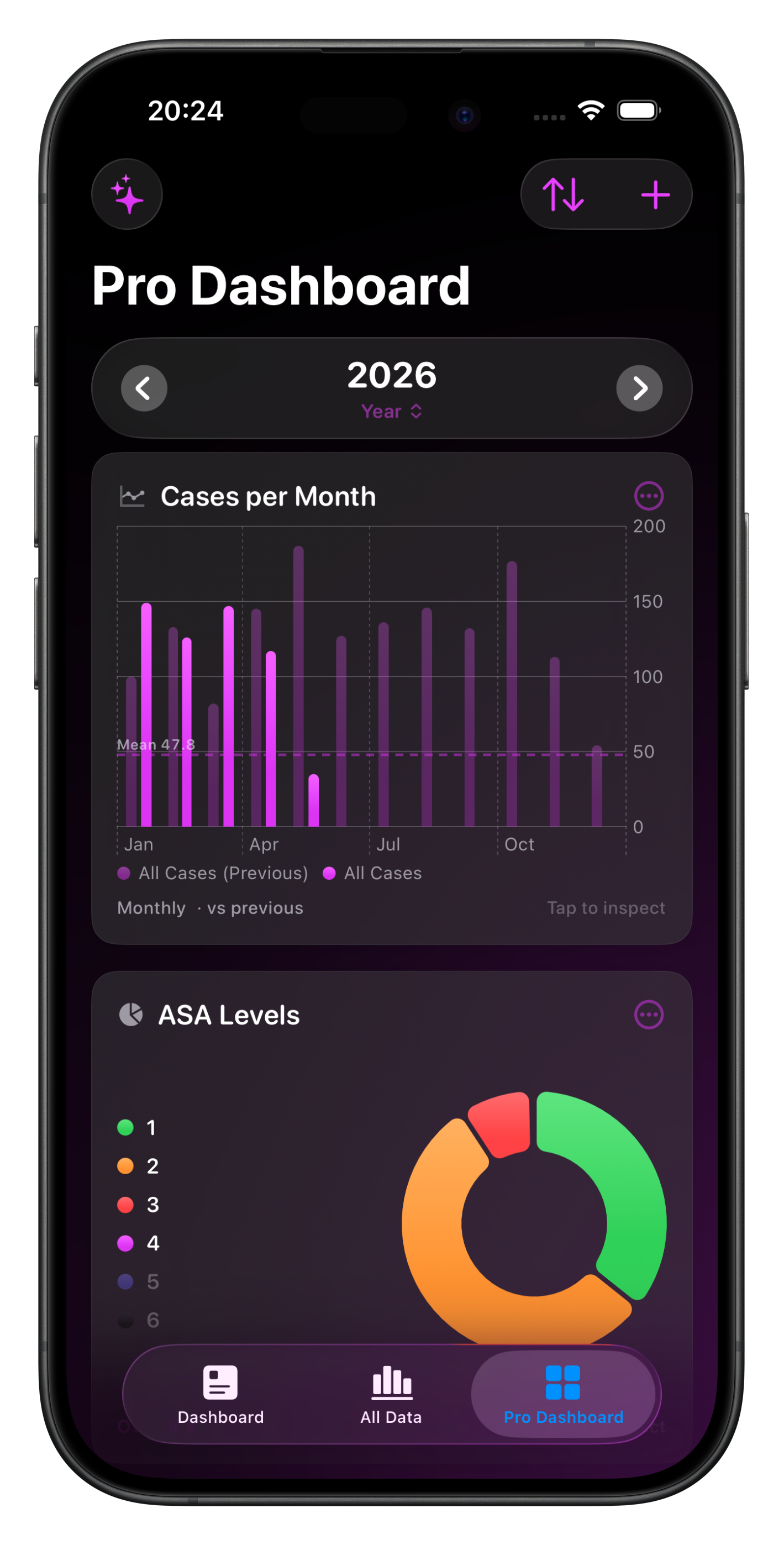
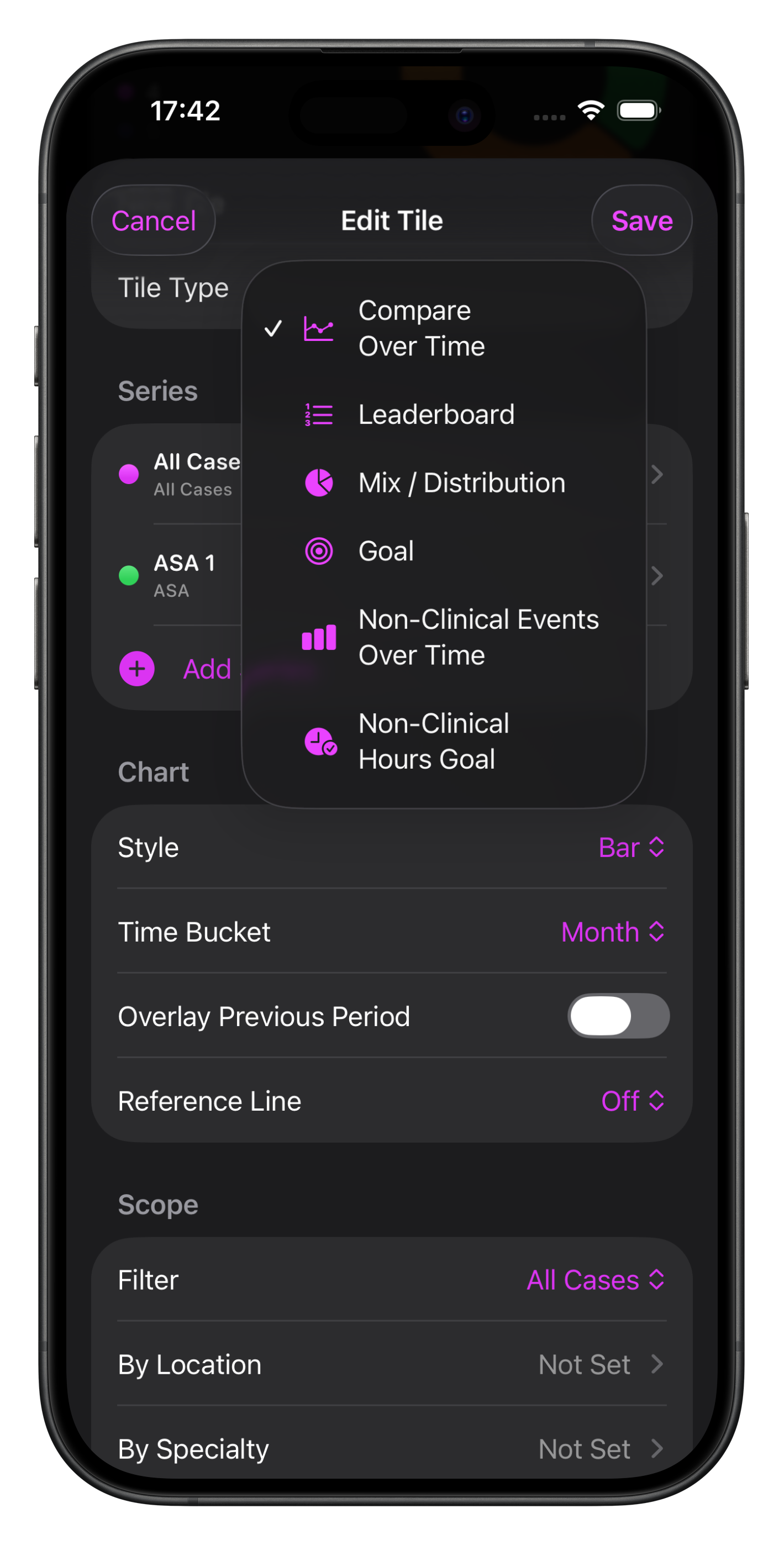
Pick from a library of chart types covering almost every database item in Somnus, including non-clinical events and anything you create - combine categories & adjust the scope for inclusions & exclusions for powerful filtering.
Compare any period against the one before it, side by side, on the same chart.
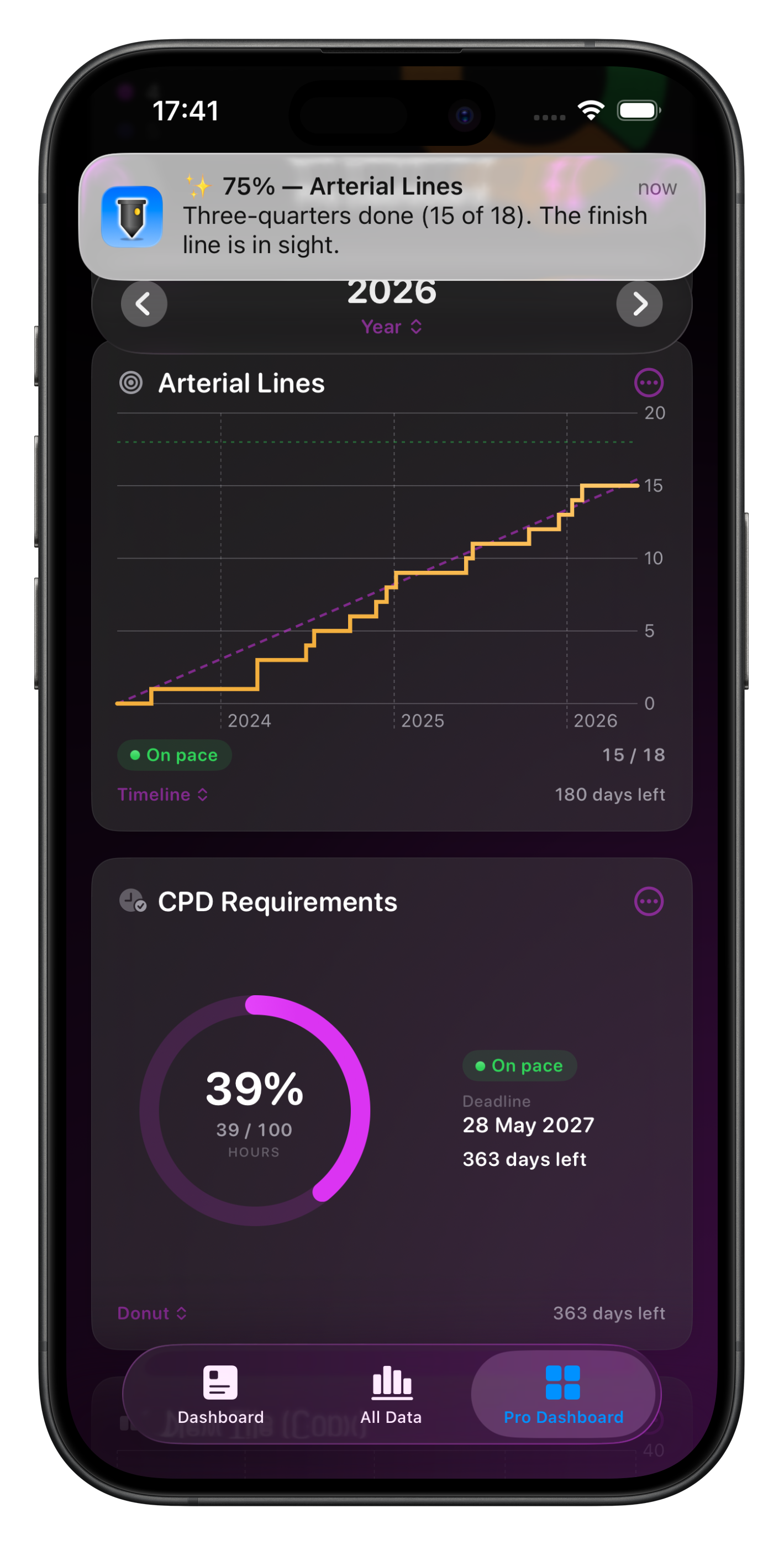
Set target goals for procedures, cases, non-clinical hours and more, with optional local notifications reminding you of your progress.
Reorder charts, group them by theme, and step through days, weeks, months, quarters, years, and more with a tap.
Chart tiles can be saved as an image via the context menu
Drill into any chart for a detailed breakdown, including a full chart and the underlying data listed, with the ability to export either Cases or Non-Clinical Events depending on what’s on view.
All Pro charts are available as widgets for your Home Screen or Mac desktop allowing you to see your data at a glance, without opening Somnus.
Enhanced Billing Reporting
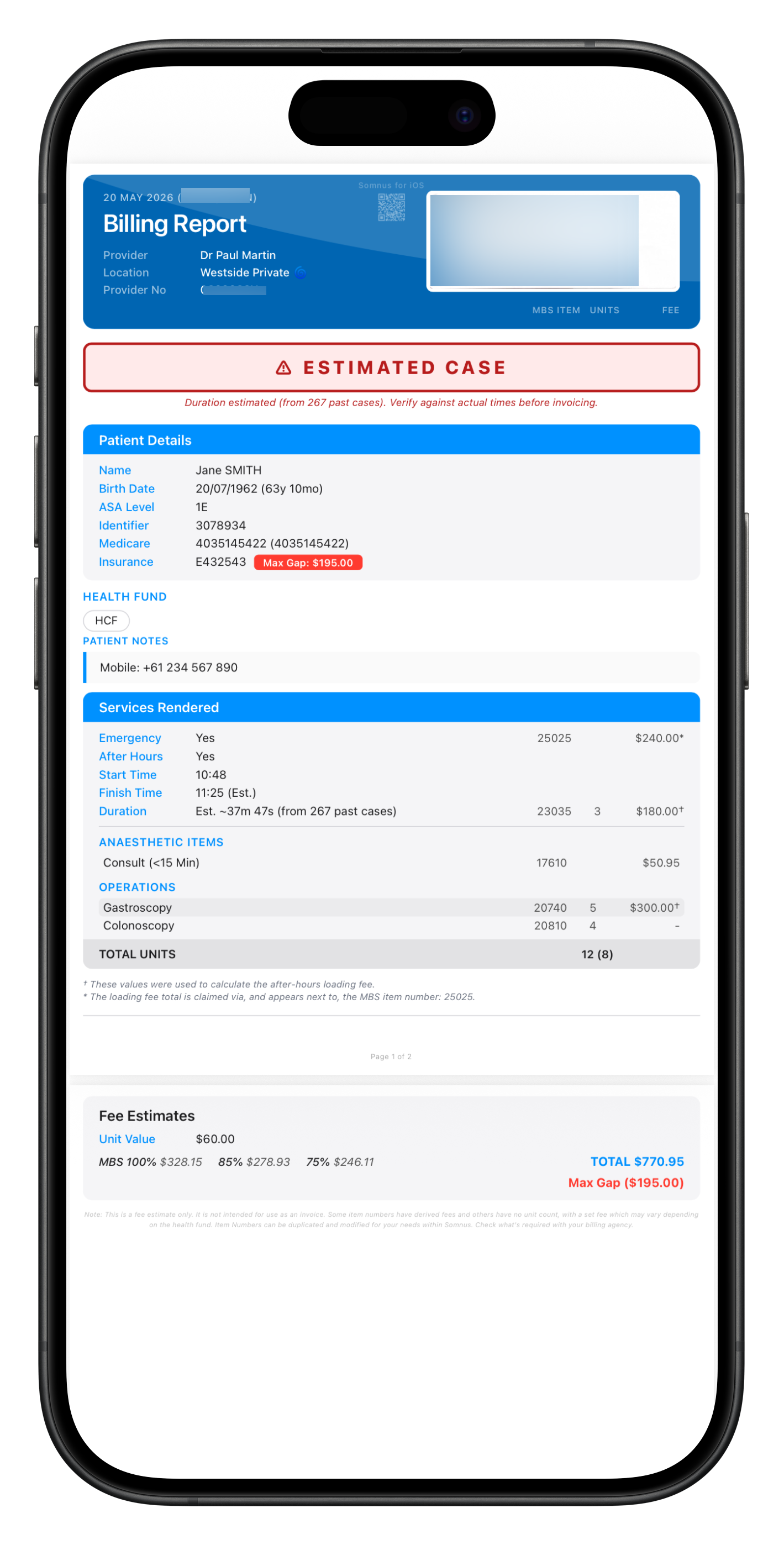
Billing Reports (Australia) have been enhanced for Pro users in the following ways:
Auto-calculation of loading fees for the after hours emergency modifier
If no duration is set, times will be estimated based on your previous, similar cases so you can provide a more accurate estimate.
Direct Billing
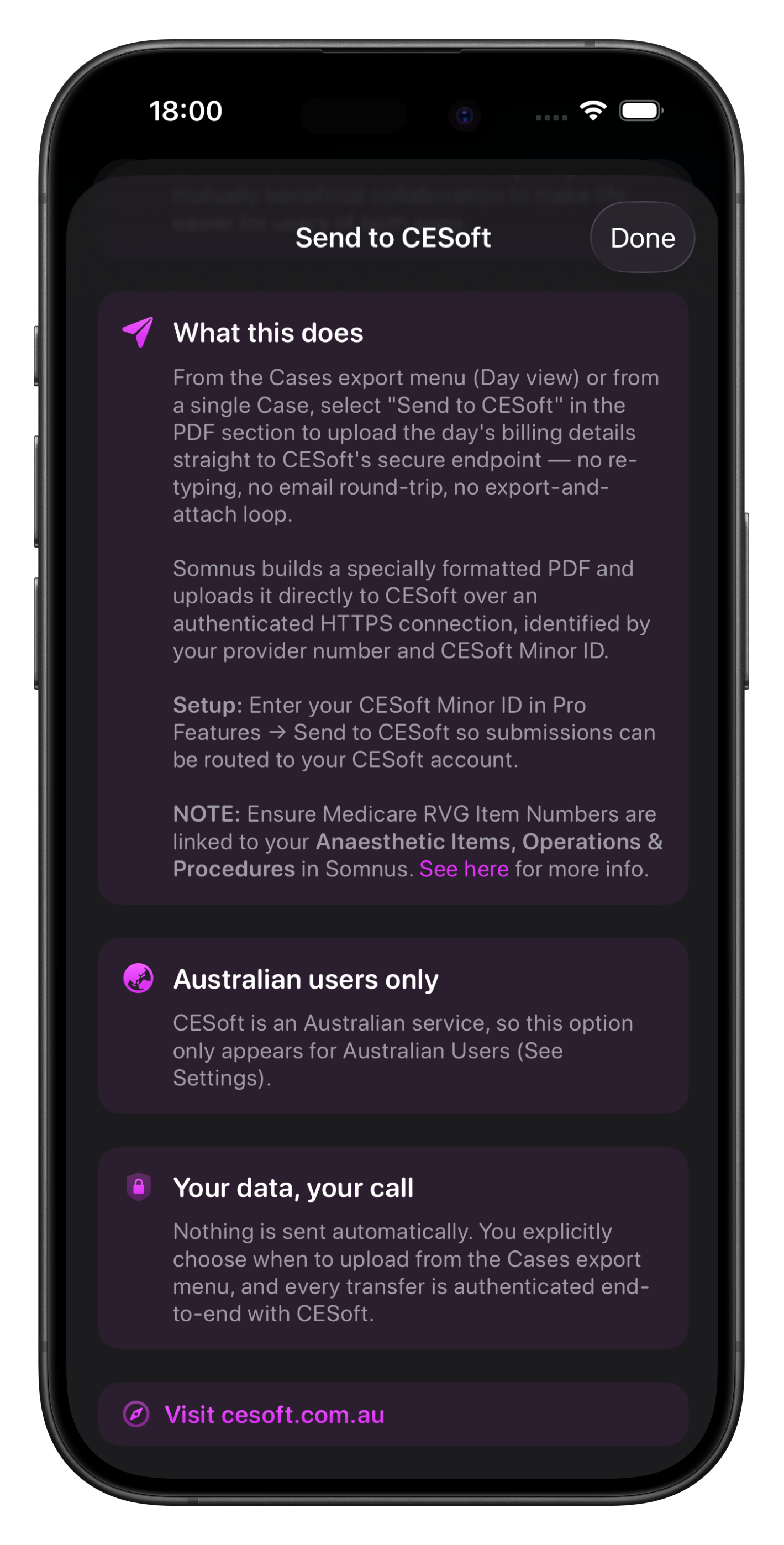
If you bill in Australia, send a day's completed cases to CESoft straight from Somnus over a secure, authenticated channel.
Somnus & CESoft have no financial connections - it’s purely a joint project by the motivated medical developers of both platforms to benefit their users.
Smart Suggestions
Somnus learns from you
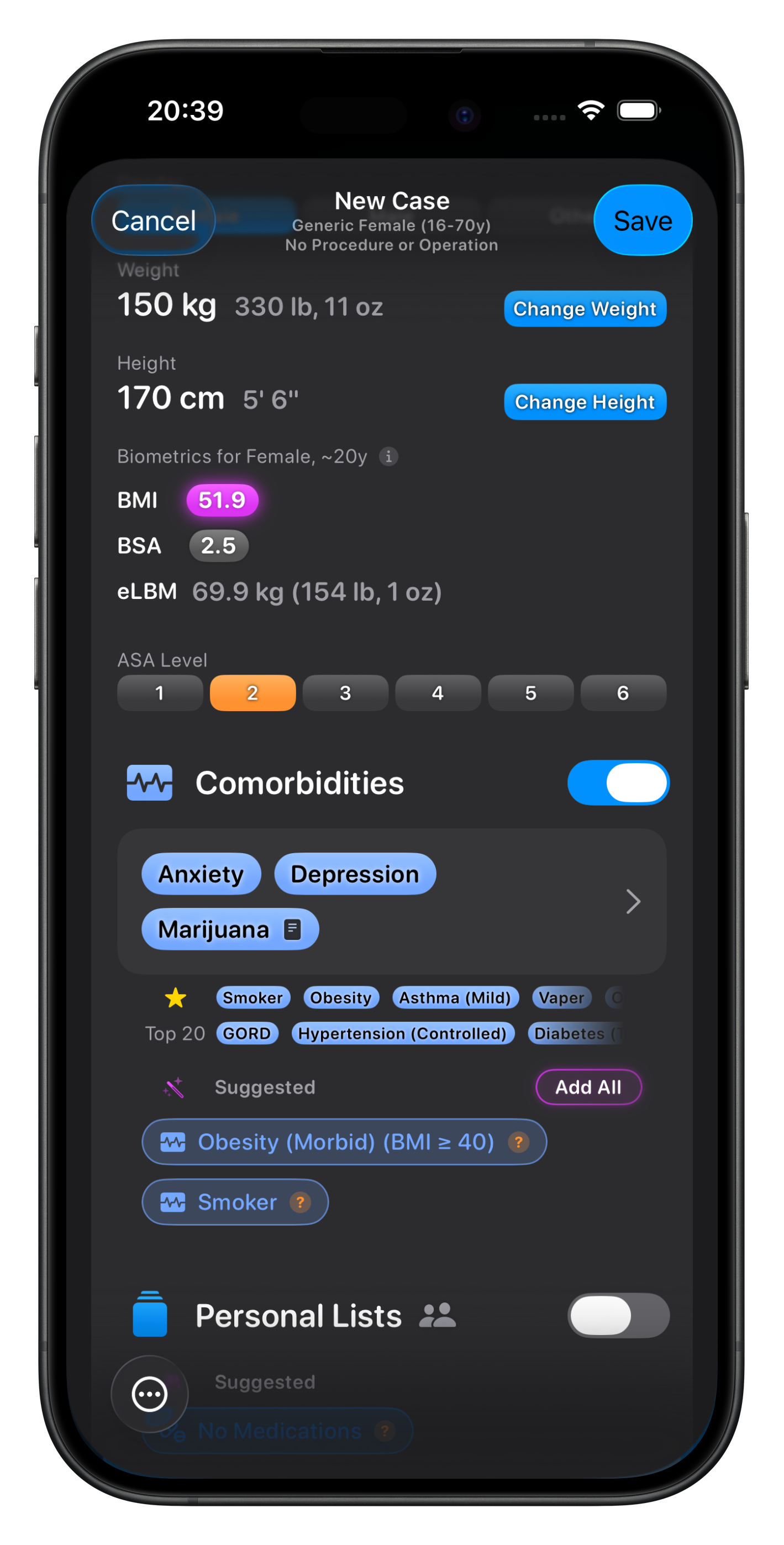
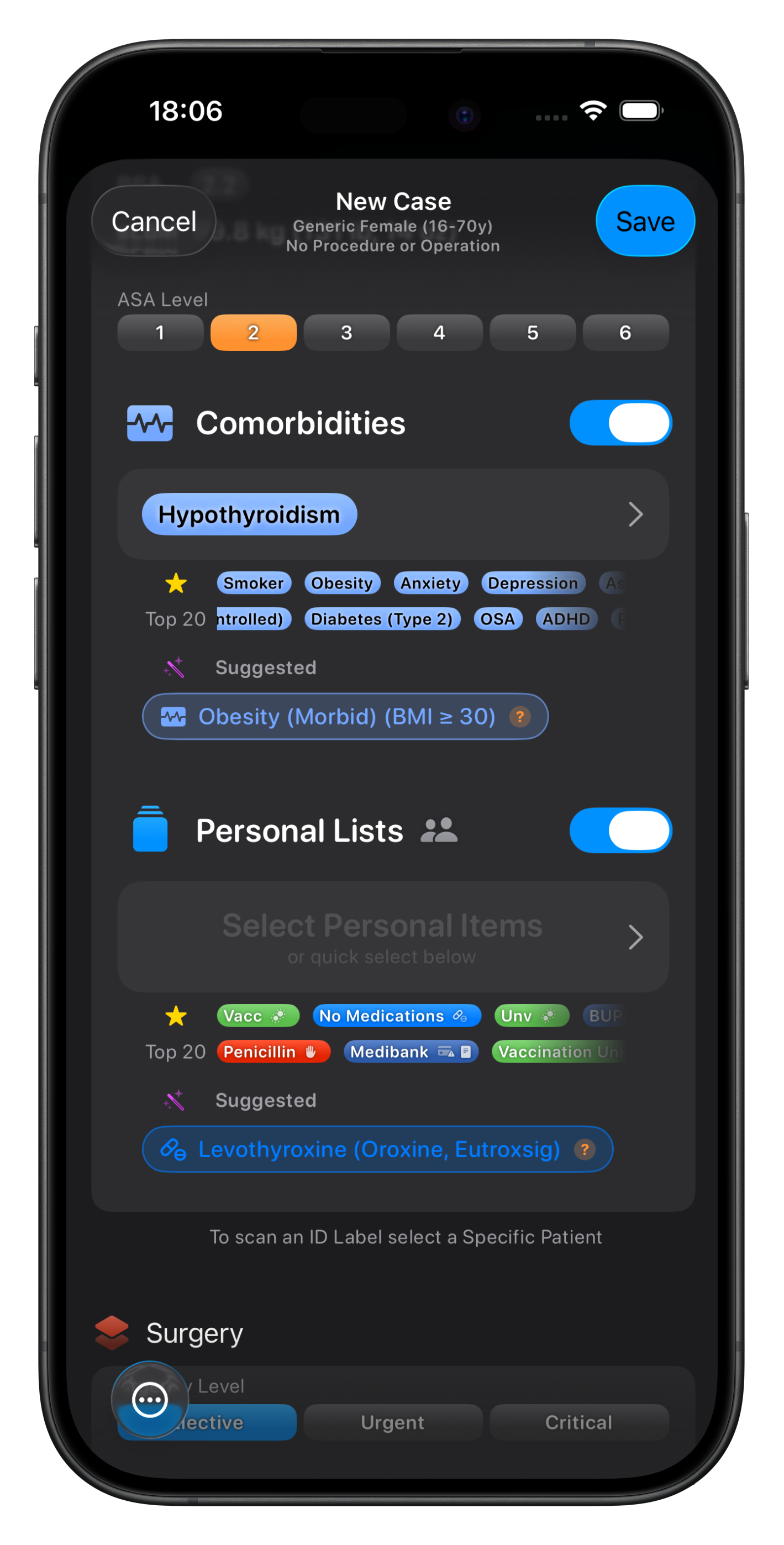
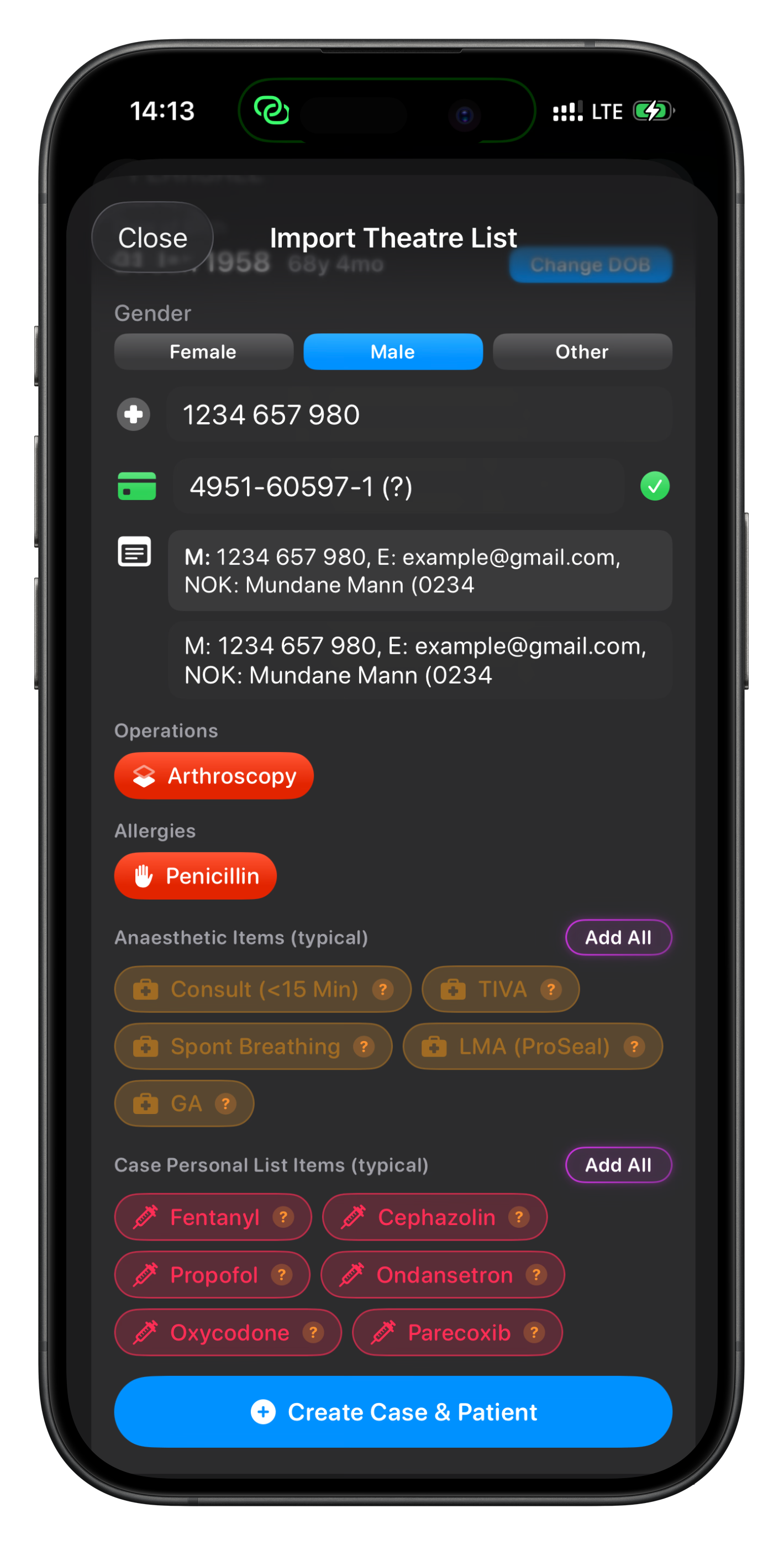
When you create a Case, Somnus suggests the Procedures, Anaesthetic Items, Comorbidities, and any Personal List items most likely to apply, based on the other data you have already selected.
Even selecting a. Location will offer up suggestions, allowing you to populate a Case with a few taps, particularly if you only do certain types of Cases there.
The suggestions update dynamically and include a few unique suggestions (eg. if the BMI is above 30 it will suggest adding the Obesity comorbidity).
After a while, Somnus will start to learn what Comorbidities are linked to certain Medications if you log that information for your Patients or Cases.
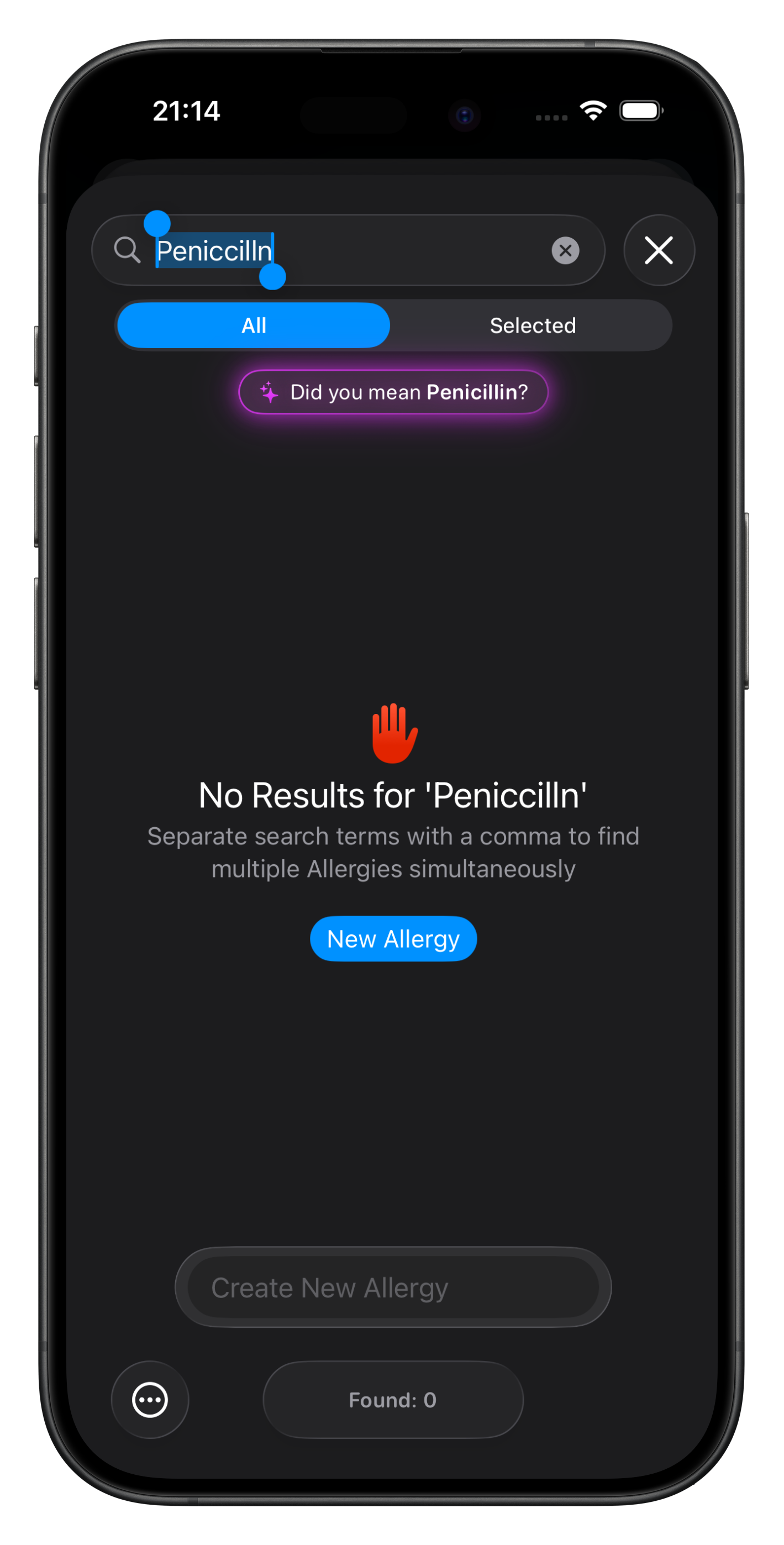
When searching lists, typos are gracefully handled with Somnus offering ‘Did you mean?’ suggestions to find what you need quickly.
Faster entry, fewer omissions, and your patterns stay private and on device.
Initially Somnus won’t offer any suggestions as it has no knowledge of your patterns, but with time you’ll notice more & more suggestions appearing..
Patient Reports (PDF)
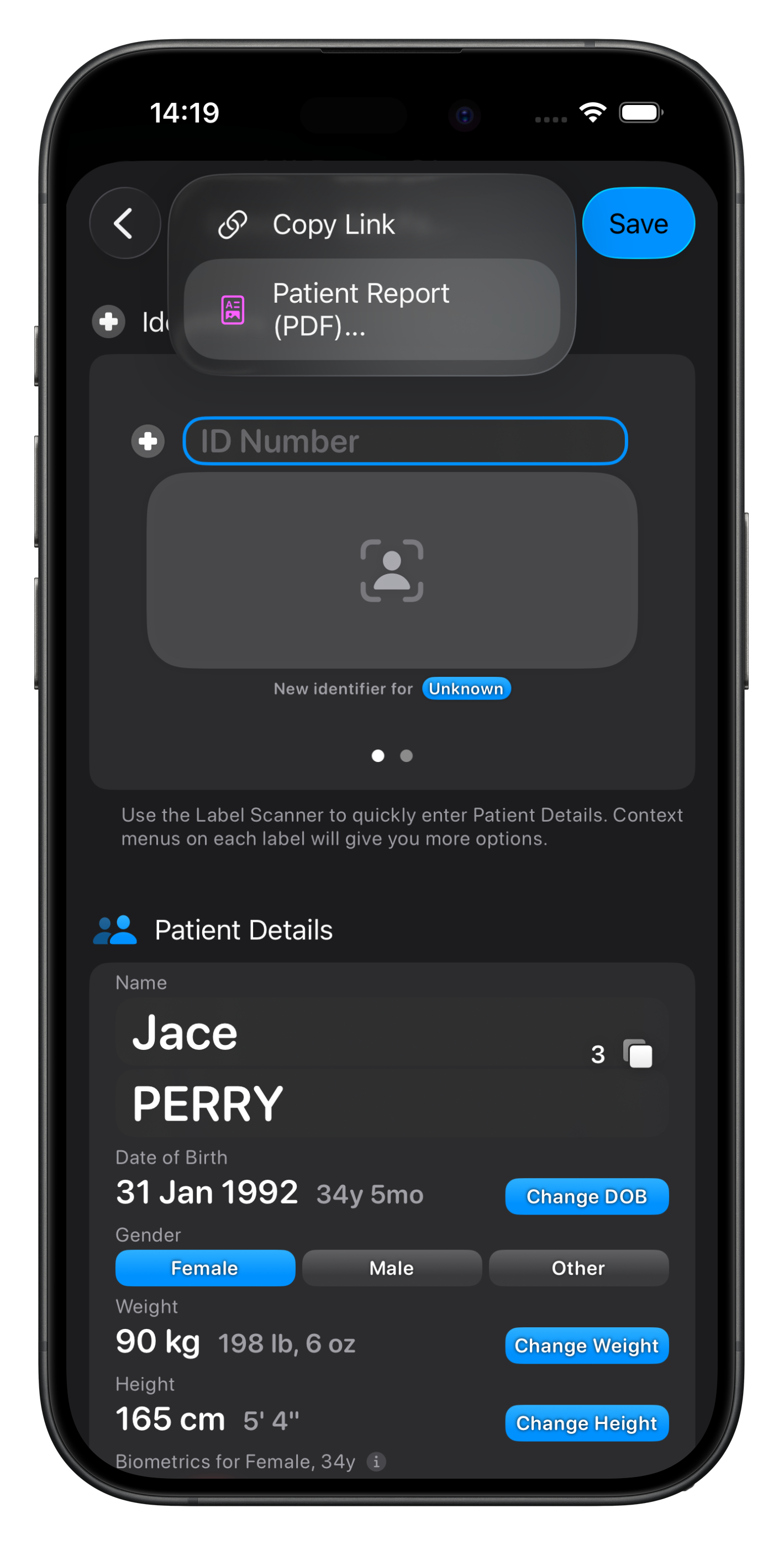
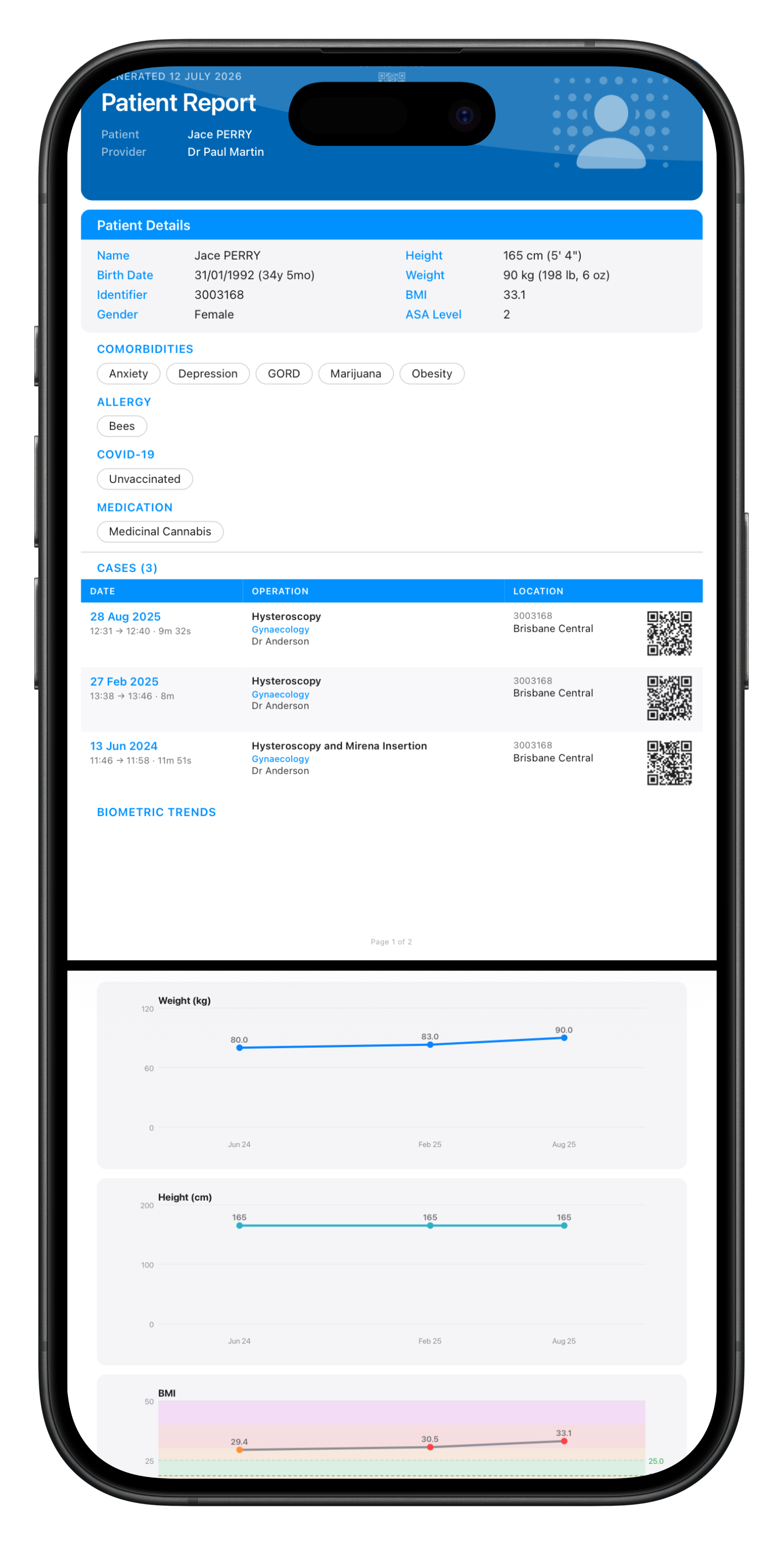
Turn any patient's history into a Patient Report PDF, styled to match your Case Reports. Generate one for a single patient or batch-export a list, straight from patient rows, the Edit Patient screen, or the Patients export menu.
Each report brings a patient's record together in one place:
Biometric trend charts - weight, height and BMI tracked across every case, with age-appropriate paediatric BMI bands and per-point ages.
A clean cases table in the familiar theatre-list style, with a scannable QR deep link on every case that jumps you straight back into Somnus.
Dual units throughout, with imperial values shown in parentheses alongside metric.
Theatre List Import
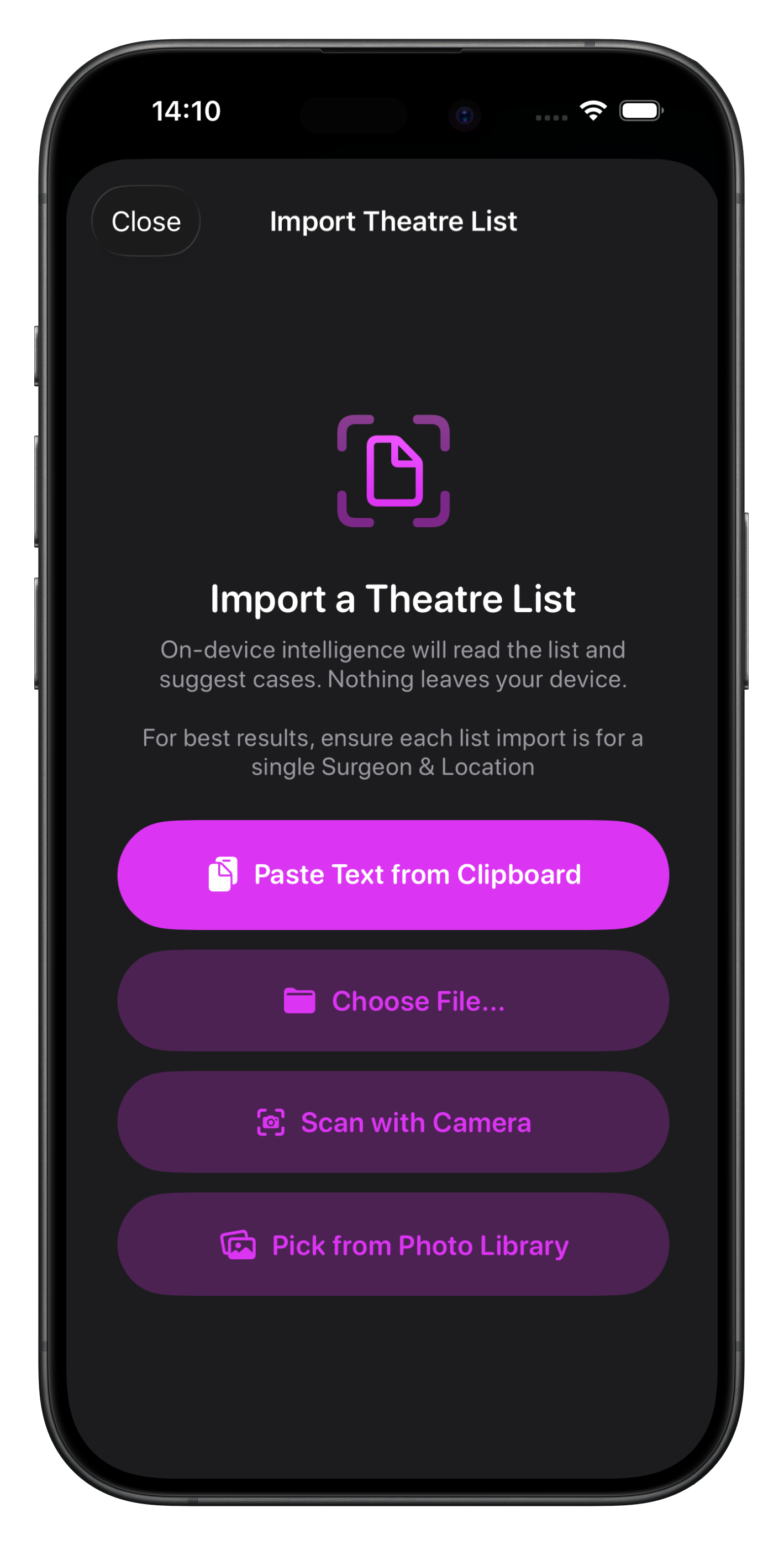
Theatre List Import uses Apple Intelligence's on-device language model - no servers, no cloud analysis, no third parties. In iOS 27 it is possible to opt-in to use Apple’s Private Cloud Compute for much faster & smarter importing.
Apple's model also doesn't and can't learn from anything you import. Every scan starts from a clean slate; nothing is sent back to Apple for training. The only personalisation happens locally, inside Somnus.
When you tap a suggested item and confirm it, Somnus remembers that the extracted text maps to that item. Next time the same name or wording appears on a list, it's auto-matched and shown as confirmed - no extra tap needed, but you can still change it with a tap.
Over a few imports, more of each list will arrive pre-matched.
While the limitations of on-device learning will mean that imports won’t be perfect, they’ll still become a reliable fast way to create a day’s list inside Somnus.
You can also still import lists via CSV if you prefer.
Biometric Trends
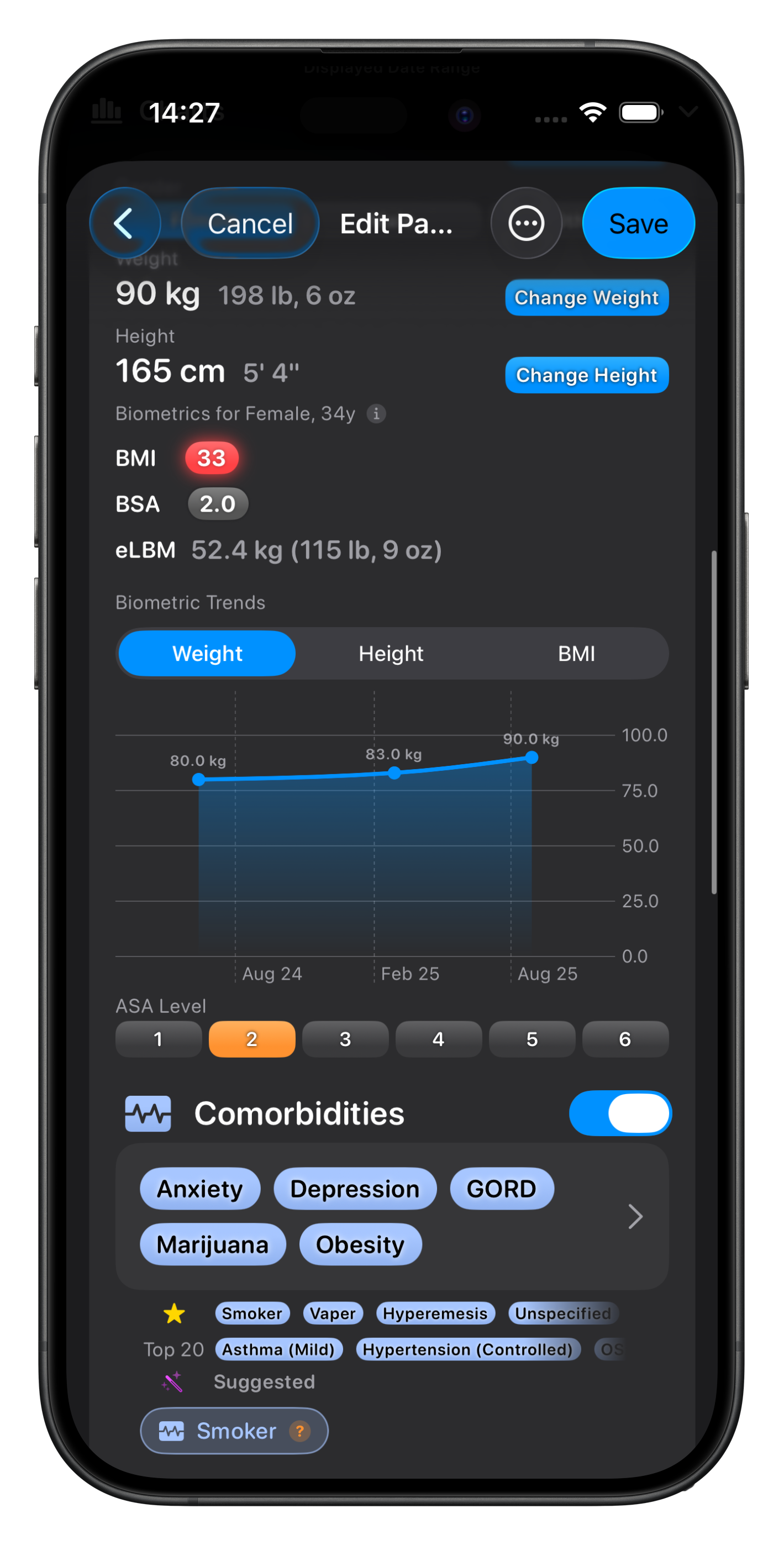
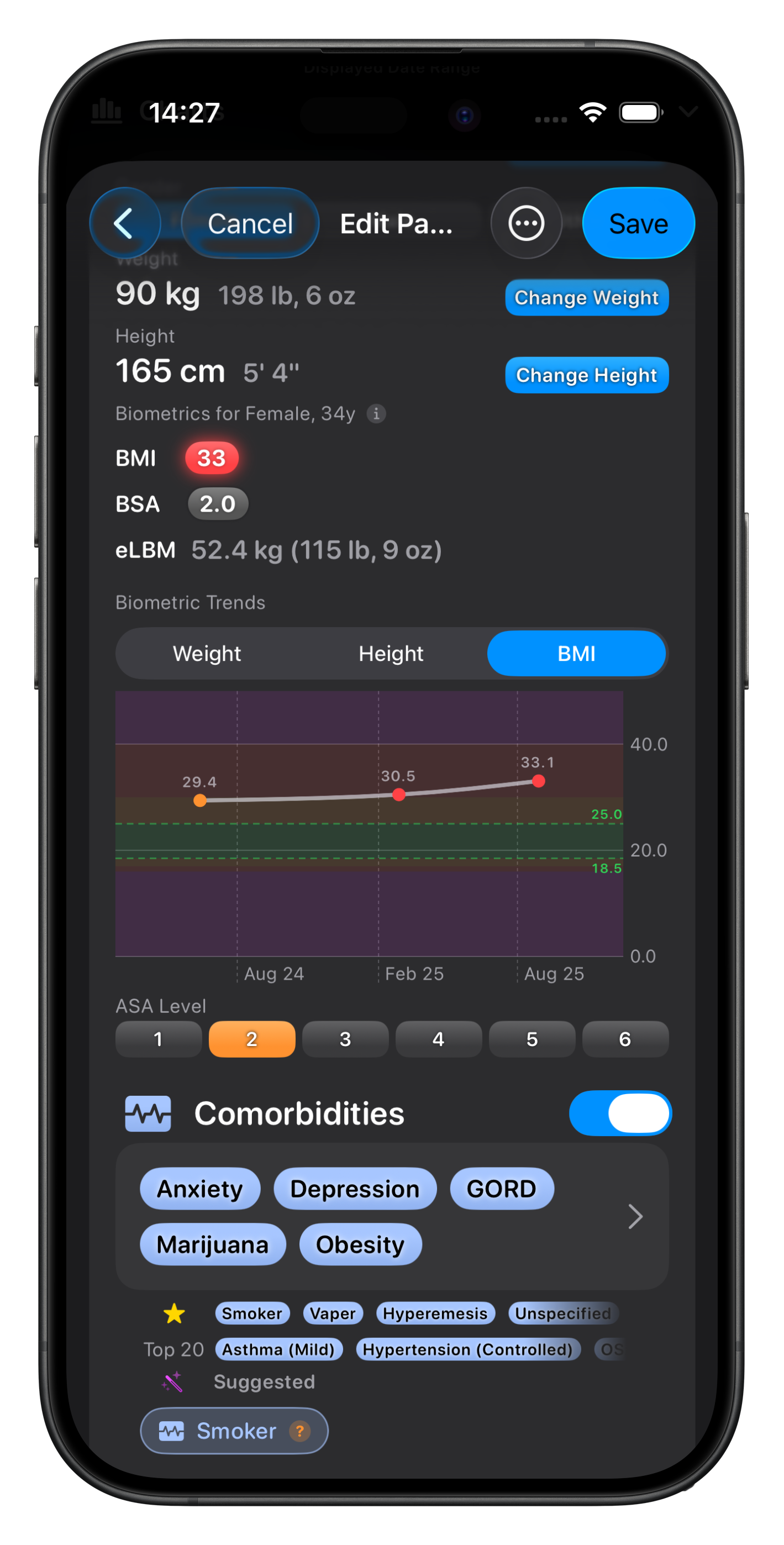
See trend charts that track weight, height and BMI across every case you've recorded for a Patient.
Age-aware BMI bands - paediatric BMI Z-score colour bands that adjust with the patient's age, so a reading is always shown in the right context.
Per-point ages - for paediatric data, each data point is labelled with the patient's age at that case, turning a scatter of values into a genuine timeline.
The chart sits at the bottom of the biometrics section in both the Patient editor and the Case editor and appears when biometrics are recorded for more than one case for the Patient.
When you generate a Patient Report, the same trends are included in the report as charts.
Apple Watch
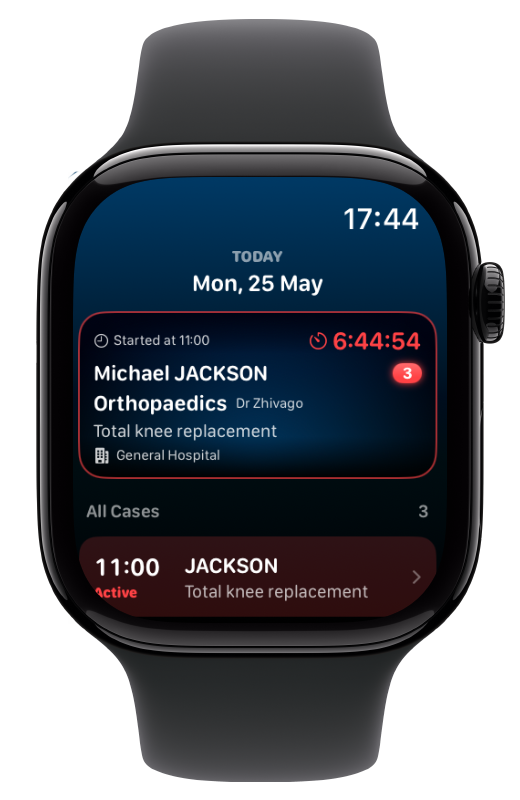
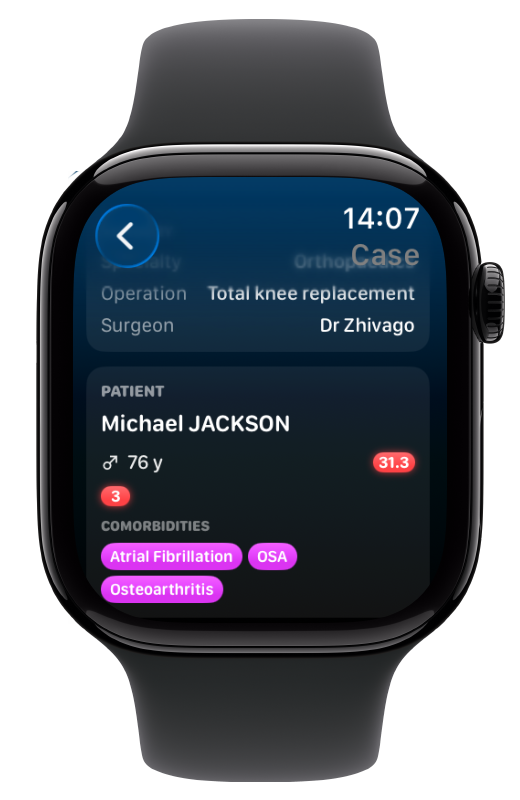
The Apple Watch will show today's cases, ordered by start time, with the next case (or the one currently active) highlighted at the top.
If today's list is empty, Somnus falls forward to your next scheduled day so the Watch is still useful on a quiet afternoon.
Synced via iCloud
In order to function independently of the iPhone, the Watch app reads from the same iCloud-backed database your iPhone uses, so cases created or edited on the phone appear on the wrist within seconds of an iCloud round-trip — no extra setup beyond being signed into the same iCloud account on both devices.
NOTE: first-launch sync after installing the Watch app can take a few minutes to several days depending on your database size. Syncing is faster when connected to WiFi and the app is in the foreground. Once synced, subsequent updates are near-instant, but please be patient.
Voice Input
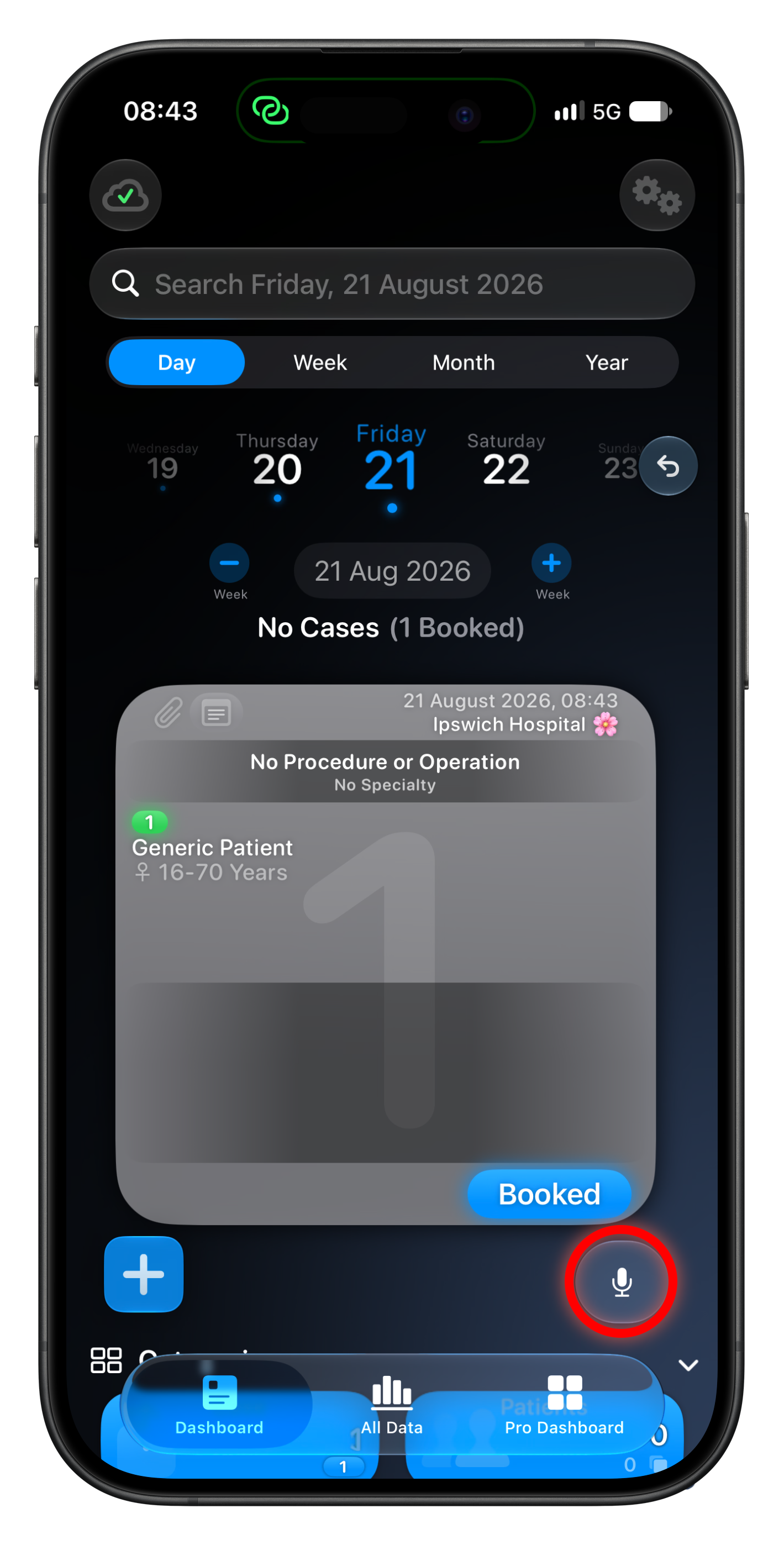
If enabled in Pro Settings, a small microphone icon will appear on the Dashboard when a Case Card is on view.
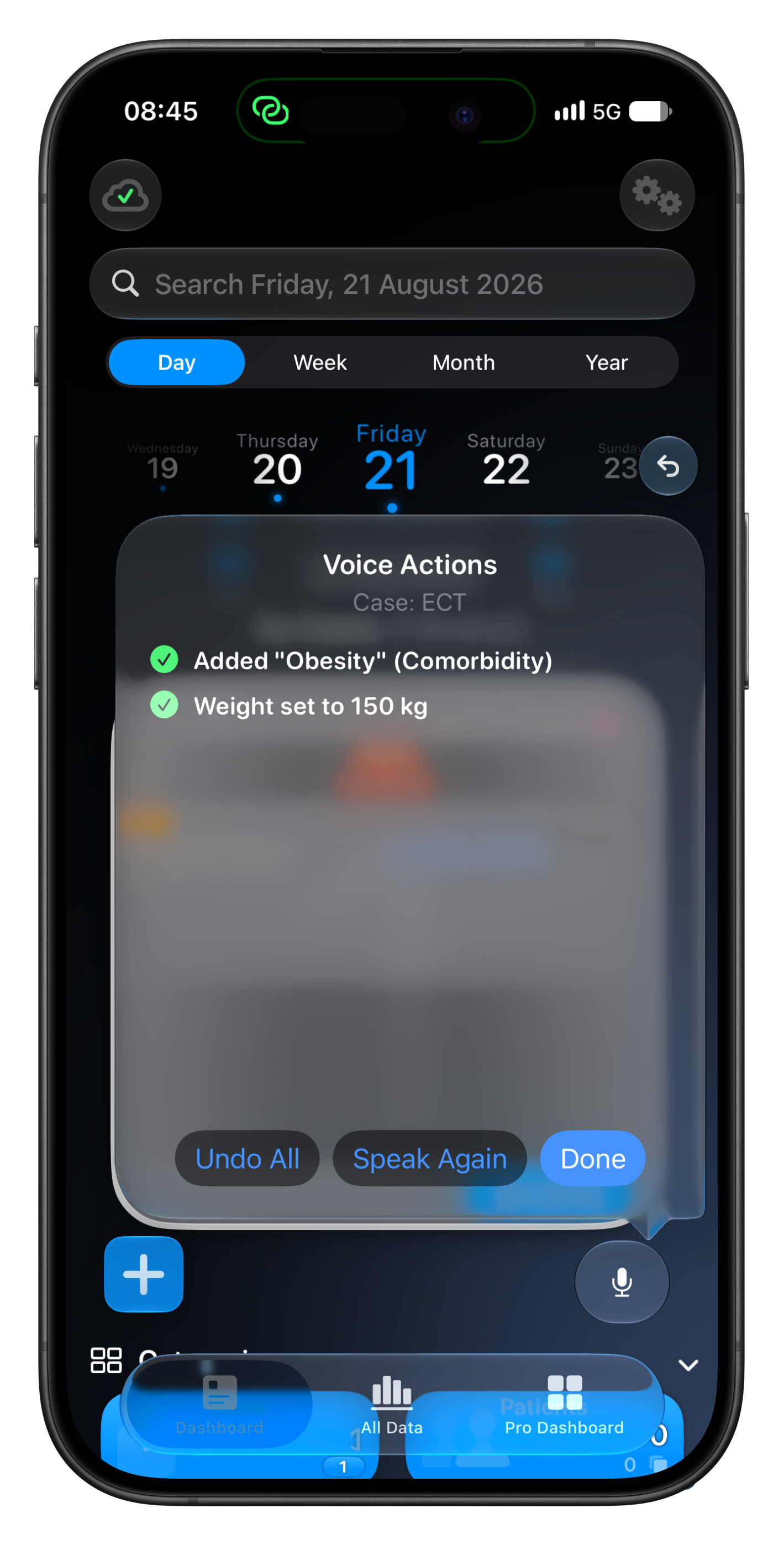
Tapping this will allow you to add, remove & swap items on the Case with your voice.
"Add Diabetes", "Remove Propofol", "Swap Propofol for Sevoflurane", "Apply Gastroscopy Template", "Weight 80"
Chain commands with "and" to do more in one command
Your own Personal List names work as spoken categories, imperial units are converted automatically ("12 stone 6", "six feet two")
Some unusual words (eg. drug names) are harder to transcribe, but it will also look at other words in the name eg "Omeprazole (Losec)" will be found if you just say 'Losec'
Every action can be easily undone with the Undo button
Speech is transcribed entirely on-device - nothing ever leaves your device - but it does require iOS26 and above.
This will pave the way for some sophisticated Siri integration I hope to introduce when iOS27 is released, giving Siri the power to modify your cases with far more precision & complexity - and all private (either on-device, or should you choose to use it, Apple’s Private Cloud Compute).